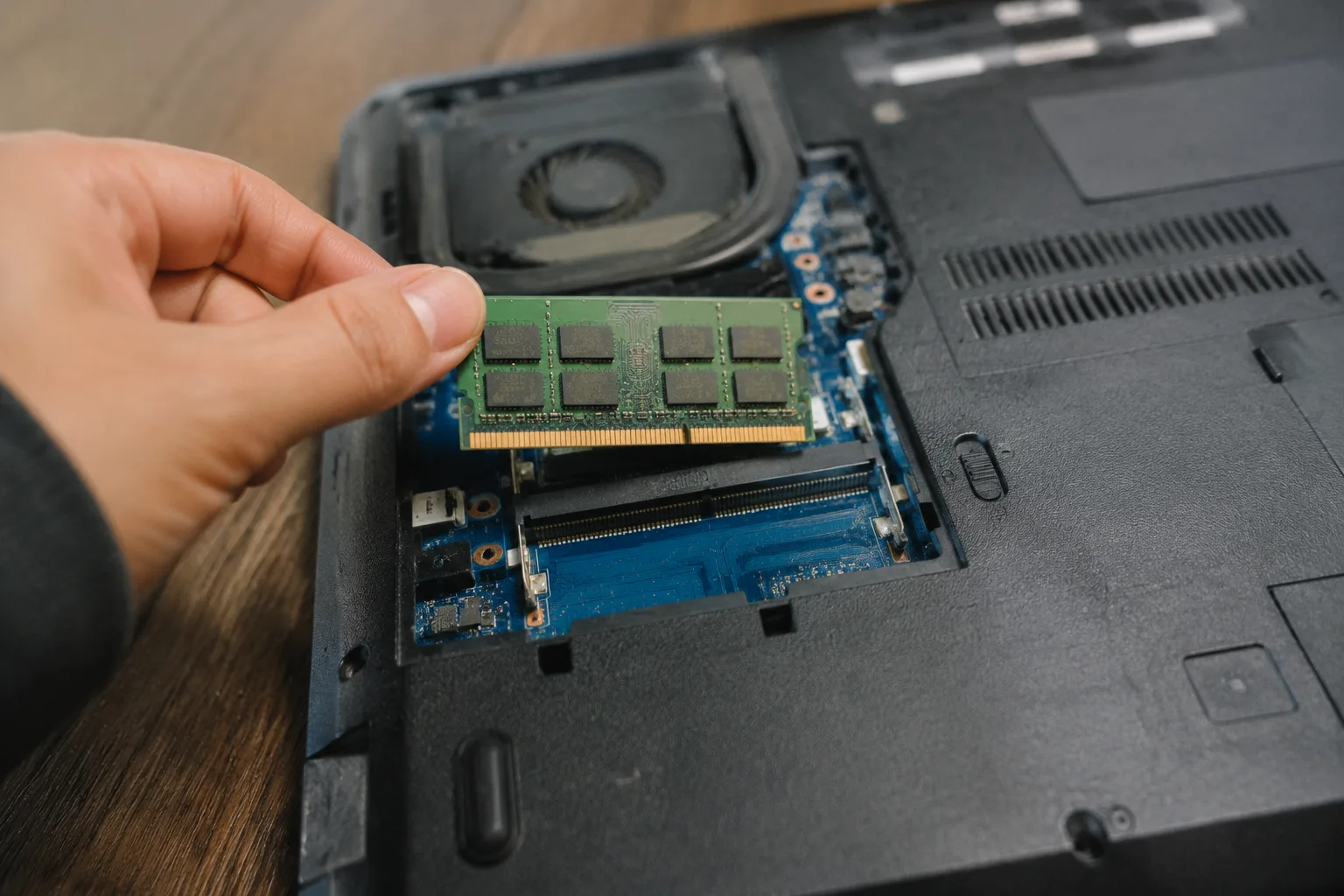
Sixteen gigabytes has become the default answer to a question most people ask badly. The question is "how much RAM do I need," and the honest answer is that it depends on what the laptop is for, how long it needs to last, and whether the buyer intends to close browser tabs like a responsible adult. Most people do not. That single habit, more than any spec sheet, determines whether 8 GB feels cramped or 16 GB feels generous.
RAM is short-term memory. It holds the programs currently running and the files they have open. When it fills up, the operating system starts shuttling data to the storage drive, which is dramatically slower, and the machine develops that particular stutter: the spinning cursor, the fan spinning up, the click that takes two seconds to register. The storage drive matters here, which is why a laptop with 8 GB of RAM and a fast solid-state drive can feel less awful than one with 16 GB and an old mechanical drive. But no amount of fast storage fully hides a RAM shortage.
The 8 GB Floor and Why It Barely Holds
Eight gigabytes is the current bottom rung on new laptops, and it is a rung that creaks. A modern operating system and its background services can idle at 3 to 4 GB before a single application opens. Add a browser with a dozen tabs, a video call, and a music player, and the ceiling arrives fast. Chromium-based browsers are the usual culprit: each tab runs in its own process sandbox, and each one claims a slice of memory. A dozen heavy tabs can eat 3 or 4 GB without blinking.
An 8 GB machine is usable for a narrow set of tasks: word processing, email, a handful of tabs, streaming video. It is not usable for photo editing, video work, or any kind of multitasking that involves keeping several substantial programs open at once. Buying 8 GB in a laptop meant to last four years is a bet that the buyer's habits will never change. People's habits always change.
Sixteen Gigabytes as the Working Default
Sixteen gigabytes is where the math starts to breathe. It leaves room for the operating system, a browser with too many tabs, a spreadsheet, a chat client, and a photo editor running side by side. For a student, an office worker, a writer, or anyone whose heaviest task is a video call while sixty tabs stay open in the background, 16 GB is the sensible number. It absorbs the mess of real use rather than the tidy single-app scenario in a review benchmark.
The case for 16 GB gets stronger when the machine is meant to last. Software grows into available memory over time; browsers add features, applications add background processes, and an operating system receives updates that inflate its footprint. A laptop bought with 16 GB in 2025 will feel less generous in 2029, but it will still function. The same laptop bought with 8 GB will feel like a punishment by year three.
The Soldered-Memory Trap
Here is the detail that changes the whole calculation: most thin laptops now solder RAM directly to the motherboard. There is no slot, no hatch on the bottom, no upgrade path. The amount chosen at purchase is the amount the machine will have for its entire life. A buyer who saves a hundred dollars by choosing 8 GB today has effectively capped the laptop's usable lifespan.
This is a recent shift. For years, a budget laptop could be opened with a small screwdriver and given another 8 GB stick for the price of dinner. That era is closing, especially in the thin-and-light category. The practical consequence is that the RAM decision is now a permanent one, and it deserves more thought than a checkbox on a configuration page.
A handful of thicker machines, gaming laptops, and business models still offer upgradeable slots. For those, buying 16 GB and planning to add more later is a reasonable hedge. For a soldered machine, the hedge disappears.
Thirty-Two Gigabytes and the People Who Need It
Thirty-two gigabytes is not a marketing upsell for most buyers, but it is the right answer for a specific group. Video editors working with high-resolution footage, 3D modelers, software developers running containers and virtual machines, and photographers editing large raw files in a memory-hungry application all benefit from the headroom. These workloads do not merely run faster with more RAM; some of them refuse to run well at all without it.
The trap is buying 32 GB as insurance against a future that never arrives. A buyer who edits the occasional home video, browses, and writes documents will never touch the extra capacity. The money is better spent on a faster processor, a better screen, or a larger storage drive. RAM above the working set does nothing; it sits idle, collecting nothing.
Why the Spec Sheet Misleads
A RAM figure on a product page is a number without context. It says nothing about the speed of the memory, the number of channels it runs in, or whether the machine's processor can make use of it. Dual-channel memory, which means two sticks working in tandem, can meaningfully outperform a single stick of the same total capacity. A laptop with 16 GB split across two channels will handle integrated graphics and memory-heavy tasks better than one with a single 16 GB stick.
The speed rating matters less for everyday work and more for integrated graphics, which borrow from system memory. A gaming laptop with a dedicated graphics chip is less sensitive to RAM speed. A thin laptop relying on integrated graphics will feel the difference, particularly in games and video playback.
None of this appears in the headline spec. The buyer who compares two laptops by the number alone is comparing two different machines as if they were the same.
The Browser-Tab Reality Check
There is a simple way to estimate real memory pressure before buying: watch how the current machine behaves. If it regularly slows to a crawl with a normal set of applications open, the next machine needs more RAM than the current one. If it never stutters, the current amount is probably sufficient, with a small cushion for software growth.
The most common self-deception is the belief that habits will become tidier. They rarely do. The person who keeps forty tabs open on the old laptop will keep fifty open on the new one, because the new one can handle it. RAM is a resource that gets consumed to the level available, much like closet space.
Matching the Number to the Job
For a student writing papers and attending online classes, 16 GB is the safe floor. For an office worker living in a browser and a spreadsheet, 16 GB is comfortable. For a photographer or video editor, 32 GB is the working number, and the cost is justified by the time saved waiting on a machine that has run out of room. For a casual user who streams, browses lightly, and writes email, 8 GB is technically enough, though the soldered-memory problem makes it a poor long-term purchase.
The pattern is consistent: buy slightly more than the current workload requires, because software and habits expand to fill the space. The buyer who plans for today will be shopping again in three years. The buyer who plans for the next four or five years spends a little more now and avoids the second purchase entirely.
The Used-Market Calculation
RAM capacity also shapes resale value, which buyers rarely consider. A three-year-old laptop with 16 GB holds its price noticeably better than the same model with 8 GB, because the second-hand buyer faces the same soldered-memory problem and knows it. The difference in resale can offset a meaningful share of the original upgrade cost, particularly on machines from brands with strong resale demand.
For a laptop kept for years and then sold, the 16 GB configuration often costs less in net terms than the 8 GB one, once the resale gap is subtracted. The sticker price is the wrong number to compare.
A Final Number to Hold Onto
If a single figure has to be named, it is 16 GB. It is the amount that covers the realistic mix of browser tabs, video calls, documents, and light creative work that most people actually do, with enough slack to absorb several years of software growth. It fits the soldered-memory era, where the choice made at checkout is final.
The exception is the buyer with a genuinely heavy workload, who should pay for 32 GB and stop worrying. The other exception is the buyer on a strict budget who only streams and writes, for whom 8 GB will function, provided the expectation is a short life and an early replacement. Everyone in between should look at the configuration page, find the 16 GB option, and treat the extra cost as the price of not thinking about RAM again for half a decade.


