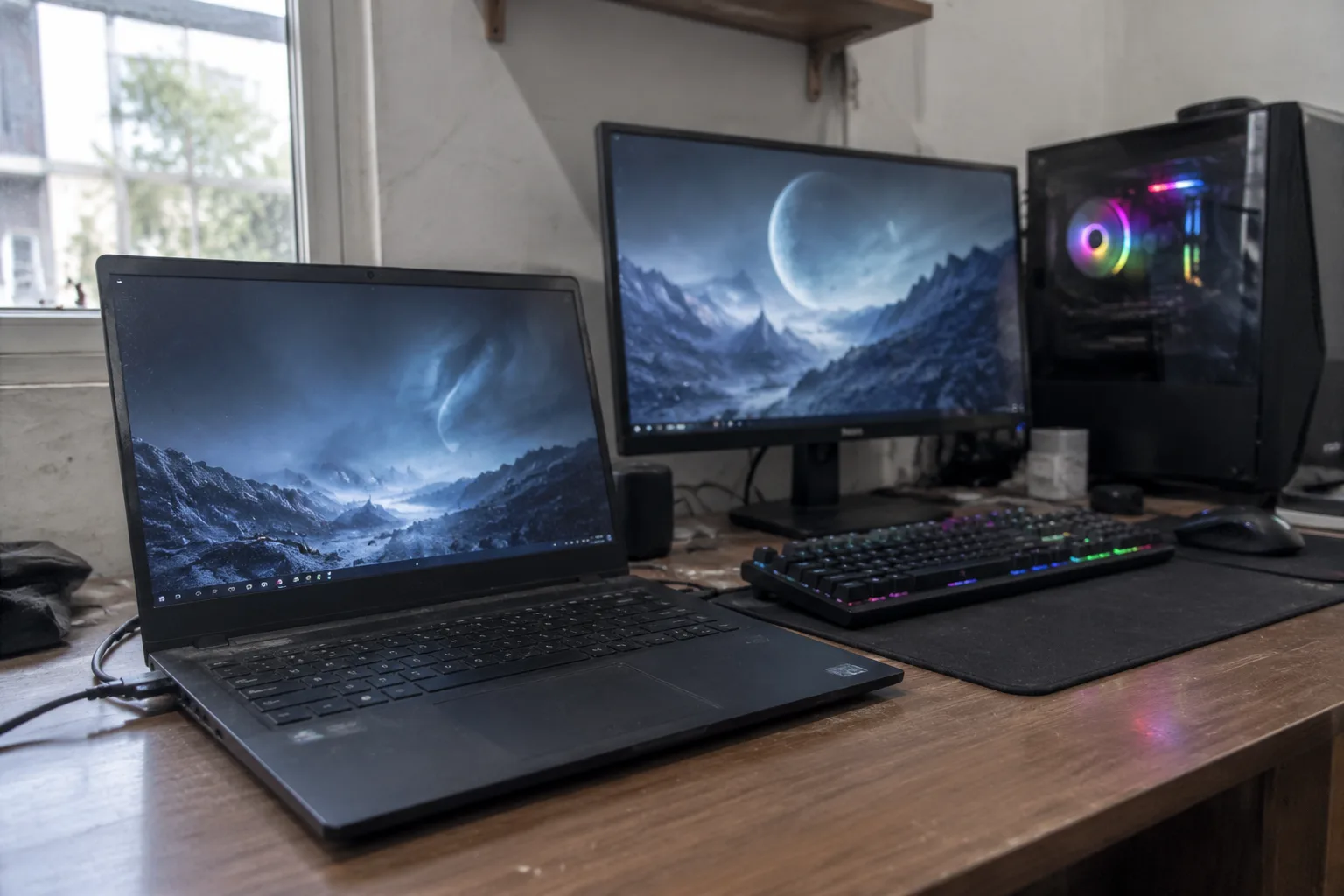
The 16-inch gaming laptop that weighs 5.6 pounds and can push 240 frames per second sits on a desk next to a monitor, an external keyboard, and a mouse with a braided cable. It has been there for eleven months. Its owner bought it for portability and has not unplugged it since the first week of ownership. This is the most common outcome in the gaming PC market, and it costs people real money.
The choice between a gaming laptop and a desktop is usually framed as a mobility question. Mobility is part of it, but the decision runs deeper: it is a question about how much thermal headroom a person is willing to trade for the ability to carry a machine in a backpack. The answer depends on a handful of concrete factors, and those factors sort buyers into fairly clean groups.
The physics that ends the argument before it starts
A desktop graphics card can draw 300 to 450 watts and sit under a heatsink the size of a paperback book. The same silicon, packaged for a laptop, gets a power ceiling that often lands under half that, sometimes a third. The chassis has to fit in a bag, so the cooling hardware is thin, the fans are small and loud, and the power brick alone can weigh more than a tablet.
None of this means gaming laptops are bad. It means a laptop with the same model number as a desktop card will not perform like that desktop card, and buyers who compare spec sheets line by line get burned by it. A mobile version of a high-end GPU can trail its desktop sibling by a wide margin in demanding titles, especially at high resolution. The gap narrows on a 1080p or 1440p screen with settings tuned sensibly, and widens the moment ray tracing and 4K enter the picture.
There is a second cost the spec sheet hides: sound. A thin gaming laptop under load pushes its fans into a whine that a headset barely covers. A desktop with a decent air cooler and case fans runs at a low hum. Anyone who shares a room, records audio, or plays late at night notices this within a week.
Who the laptop actually serves
Three kinds of people get their money's worth from a gaming laptop, and the first is obvious. The person who moves between two or three fixed locations every week, a dorm room and a family home, an apartment and a job site, a desk and a partner's flat. For that buyer, a desktop is a machine that stays behind, and the laptop is the only device that travels.
The second group is smaller than it looks: people who genuinely play away from a desk. LAN events, hotel rooms, a friend's basement, a long train ride with a power outlet. This group used to be larger before cloud streaming and handheld PCs ate part of the lunch, but it still exists and a desktop cannot follow it.
The third group is the space-constrained. A studio apartment where a desk doubles as a dining table, a shared house with no spare room, a bedroom that has to hold everything. A laptop plus a monitor sometimes fits where a tower and a desk do not. It is a compromise made of square footage, and it is legitimate.
Everyone outside those three groups should read the next section carefully, because the math turns ugly fast.
The docking station that quietly becomes the whole computer
A desktop replacement setup looks like this: laptop closed on a stand, external monitor, mechanical keyboard, mouse, maybe an external drive and a USB hub. At that point the laptop's screen, keyboard, and trackpad are unused. The buyer paid for a display and input hardware that sit idle, and paid a portability premium on the components on top of it.
A comparable desktop build at the same total price typically runs faster, quieter, and cooler, and it leaves room to swap a graphics card in three years without replacing the whole machine. The laptop's upgrade path is a RAM slot and a drive slot, and often the RAM is soldered. When the GPU ages out, the entire laptop ages out with it.
Battery life deserves a mention here because it is the quietest disappointment. A gaming laptop unplugged from the wall throttles hard to protect the battery, and most models deliver a couple of hours of light use at best. A machine bought for portability that needs an outlet to play is a machine with a short leash. The power brick is not optional, and it is heavy.
The price-per-frame spreadsheet nobody wants to make
Take a mid-range gaming laptop and a mid-range desktop at the same budget. The desktop wins on frames per second in almost every comparison, often by a margin wide enough to notice without a counter on screen. It also wins on noise, on thermals, and on the cost of the next upgrade.
The laptop's advantage is that it exists as one object. No monitor to buy, no keyboard, no case, no assembly. For a first-time buyer with no peripherals, that bundle has real value, and the gap in total cost shrinks when a monitor and input devices are added to the desktop side of the ledger. The gap does not close, but it narrows.
Where the laptop loses badly is the second purchase. A desktop bought today can take a new GPU in three or four years for a fraction of a new machine. A laptop bought today is a closed box, and when its GPU falls behind, the replacement is another laptop at full price. Over a decade, the desktop buyer spends less and plays at higher settings for most of it.
The student case, which is not the same as the gamer case
A student heading to a dorm has a real argument for a gaming laptop: one device for lectures, library sessions, and evening play. The counterargument is weight and battery. A 5.5-pound laptop plus a 1.5-pound power brick in a backpack every day gets old by October, and the fans spinning up in a silent seminar room draw looks.
The cleaner setup for most students is a cheap, light laptop for class and a desktop in the room for games. Two devices, one of them inexpensive, often cost less than a single premium gaming laptop and cover both jobs better. The exception is the student who moves home every weekend or lives out of a suitcase, and that student is the laptop's natural customer.
When the desktop cannot fit, and what to do about it
Small form factor desktops have closed much of the gap for space-constrained buyers. A console-sized build with a mid-range GPU fits on a shelf, runs quieter than a laptop, and costs less per frame. It is not portable, but it does not need to be. For the apartment dweller with a monitor already, this is often the smarter buy than a gaming laptop.
The remaining case for the laptop is narrow and specific: a person who needs the same machine at two desks and cannot maintain two computers. Two desktops, one at each location, is sometimes cheaper than one high-end laptop, but syncing files and keeping both updated is a chore. The laptop solves that chore, and the premium is the price of solving it.
The used market changes the math at the low end
At the entry level, a used desktop with a two-generation-old GPU can be assembled for the price of a budget gaming laptop, and it will play modern titles at 1080p with settings turned down. The laptop at that price point tends to have a weak GPU, a dim screen, and a chassis that throttles within twenty minutes of play. Neither is glamorous, but the desktop gives more frames for the money and leaves a path to upgrade.
The used laptop market is riskier for a different reason: batteries degrade, hinges fail, and a machine that ran hot for three years may be closer to its end than its age suggests. A used desktop's failure points are cheaper to replace.
A decision rule that fits on an index card
If the machine will live on one desk for most of its life, buy a desktop. If it will move between fixed locations at least weekly and the owner has no second computer, buy a laptop. If it will mostly sit on a desk but occasionally travel, buy a desktop and a cheap secondary device for the road.
That last case is the one buyers get wrong most often. The laptop feels like the safe, flexible choice, so people pay the premium and then never unplug it. The desk-bound laptop with an external monitor is the most expensive way to own a slower computer.
The honest test is a calendar question, not a spec question. Count the days in the next month the machine will leave the house. Zero or one, and the desktop wins on every axis that matters after purchase: speed, silence, upgrade path, and the cost of the next four years. Four or more, and the laptop earns its premium. The number is usually smaller than the buyer expects, and the desk it sits on is usually the same desk it will sit on in three years.