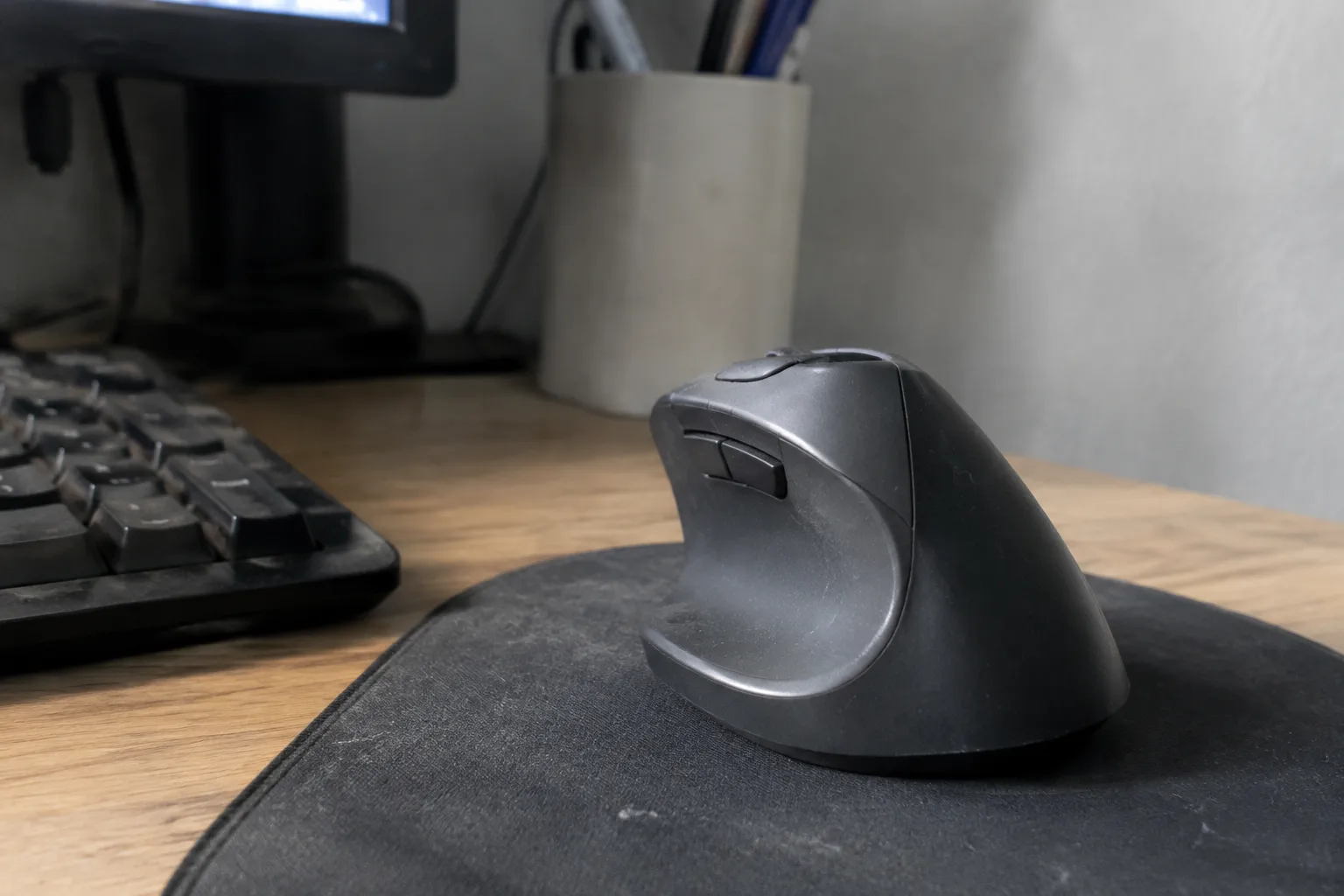
The claim arrives with a straight face: a curved plastic shell, a thumb rest, and a price tag four times that of the mouse sitting in a drawer at home, all justified by the promise that wrists will stop aching. Office workers hear it constantly, usually from a colleague who has just bought one, or from a wellness email that also recommends standing desks. The question underneath the sales pitch is simpler than the marketing suggests. Does the shape of a mouse change what happens to a hand over eight hours of clicking, or does the discomfort come from somewhere the mouse cannot reach?
Ergonomic mice come in two broad families. The first is the vertical mouse, which rotates the hand into a handshake position, thumb up, palm facing inward, so the forearm sits closer to neutral instead of twisting flat against the desk. The second is the trackball or thumb-ball design, which leaves the mouse stationary and moves the cursor with a rolling ball under the thumb or fingers. Both cost between roughly 30 and 100 dollars depending on brand and features. Both promise the same thing: less strain in the wrist and forearm. Neither promise is empty, and neither is the whole story.
What the Wrist Actually Does All Day
Watch a hand on a standard mouse for a few minutes. The palm rests flat, the wrist bends slightly upward, and the forearm rotates so the back of the hand faces the ceiling. That rotation is called pronation, and it is the position the forearm holds for most of a workday. The wrist also deviates sideways toward the pinky to reach the buttons. Neither position is dangerous on its own. Held for hours, with small repeated clicks and micro-adjustments, the tendons and nerves running through the wrist canal spend the day in a slightly compressed, slightly twisted arrangement.
A vertical mouse changes the angle of the hand, often to somewhere between 45 and 90 degrees from flat. The forearm untwists. The wrist straightens. The thumb, instead of resting on the side, sits in a cradle with the buttons under it. For a person whose discomfort comes from that flat, twisted position, the change can be immediate and noticeable, sometimes within a single afternoon. That is the honest case for the product, and it is a real one.
The Muscle That Pays for the Relief
The trade is not free. Rotating the hand upward shifts load onto the shoulder and the base of the thumb. A vertical mouse is taller and narrower than a standard one, and the hand has to hover over it rather than drape across it. Users report a new ache in the shoulder blade or the thenar muscles at the base of the thumb within the first week. Some adapt. Some find the thumb cradle aggravates an existing thumb issue, which is common in people who also use a phone heavily.
Trackballs move the problem differently. The wrist stays still, which removes the small back-and-forth motions entirely, but the thumb or fingers do all the cursor work. Thumb-ball designs concentrate repetitive motion in one joint, and a small but real share of users develop thumb soreness that did not exist before. Finger-ball designs spread the work across several digits and tend to be gentler, at the cost of precision for fine selection tasks. There is no design that removes strain. Each one relocates it.
The Desk Setup That Undoes the Mouse
Here is where most office purchases go wrong. A worker buys the curved mouse, plugs it in, and keeps the same desk, the same chair height, and the same keyboard tray, or lack of one. The mouse sits at the same spot, the elbow still hangs below the desk edge or wings out to the side, and the shoulder still carries the arm's weight for eight hours. The wrist angle improved. Everything upstream stayed the same.
Wrist discomfort in office work rarely originates at the wrist alone. It accumulates from a chain: chair too low or too high, keyboard too far forward, monitor too close, elbow unsupported, arm reaching across a wide desk to a mouse placed beyond the keyboard. An ergonomic mouse addresses one link. If the other links stay broken, the relief is partial and often temporary, which is why some buyers report that the expensive mouse "stopped working" after a few months. It did not stop working. The rest of the setup caught up with it.
Who Notices a Difference, and Who Does Not
The people most likely to feel a real change are those with a specific, diagnosed complaint tied to forearm rotation or wrist deviation, often described by a clinician as a repetitive strain issue. For them, the vertical angle targets the exact position causing trouble. A second group benefits too: anyone who has tried a cheap wrist brace or a gel pad and found only mild relief, because those address pressure, not angle.
The people least likely to notice anything are those with no current symptoms, a decent desk setup, and a habit of getting up every hour. For that group, an ergonomic mouse is a precaution with an uncertain payoff, and the money may be better spent on a chair adjustment or a keyboard that sits closer to the body. Buying a curved mouse to prevent a problem that has not appeared is guesswork dressed as prevention.
The Adjustment Period Nobody Mentions in the Listing
Every ergonomic mouse comes with a hidden cost that does not appear in the product description: two to four weeks of clumsiness. Cursor speed feels wrong. The thumb has to learn buttons it never used. Games and design software that rely on precise small movements become frustrating. A meaningful number of buyers return the mouse within the return window, not because it failed, but because they never got past the awkward phase. The people who stick with it usually report that the new position becomes automatic somewhere in the second or third week.
This adjustment cost matters for the value calculation. A 60-dollar mouse that gets returned after ten days delivered nothing. A 60-dollar mouse that gets used for three years and reduces daily discomfort is a bargain compared with the cost of a single physical therapy session, which in most cities runs well past that price. The product's worth depends heavily on whether the buyer commits to the learning curve.
What the Cheaper Alternatives Actually Deliver
Before spending on a curved shell, several cheaper moves address the same mechanics. Raising the chair so the elbow sits at roughly desk height, or lowering the desk, removes the shoulder strain that makes wrist pain worse. Moving the mouse closer to the keyboard, so the arm does not reach, cuts the sideways wrist deviation. A simple gel wrist rest reduces contact pressure but does nothing for angle, which is why it feels good for an hour and then stops helping.
A wrist brace worn at night, recommended by many clinicians for mild cases, costs a fraction of a mouse and can settle irritation that builds during sleep. None of these replace an ergonomic mouse for someone with a genuine angle-related problem. All of them are worth trying first, because they cost little and fix the surrounding setup that the mouse cannot.
The Office Worker Who Should Skip It
There is a particular profile that buys an ergonomic mouse and regrets it: the worker whose discomfort comes from the neck and upper back, not the wrist. That person spends the day with the monitor too low, the head tilted forward, and the shoulders rounded. The wrist may ache as a downstream symptom, but the vertical mouse will not touch the cause. The money goes to the wrong joint, and the ache returns within weeks, now accompanied by a lighter wallet and a drawer full of abandoned peripherals.
For that worker, the honest recommendation is to fix the monitor height and the chair first, then reassess. If wrist symptoms persist after the setup is corrected, an ergonomic mouse becomes a reasonable next step rather than a first one.
The Verdict That Depends on One Question
An ergonomic mouse is worth the money for a worker with wrist or forearm discomfort tied to the flat, twisted position of a standard mouse, provided that worker also fixes the desk height, the reach, and the elbow support. It is not worth the money for a worker with no symptoms, or for one whose pain starts in the neck and shoulder and only visits the wrist on the way down. The product is a targeted tool, and it works best when the target is correctly identified.
The test is cheap and takes one afternoon. Before buying anything, move the mouse closer, raise or lower the chair until the elbow sits at desk height, and note whether the wrist ache changes by the end of the week. If it fades, the setup was the problem. If it lingers, the shape of the mouse is a fair next suspect, and the curved plastic shell earns its price.