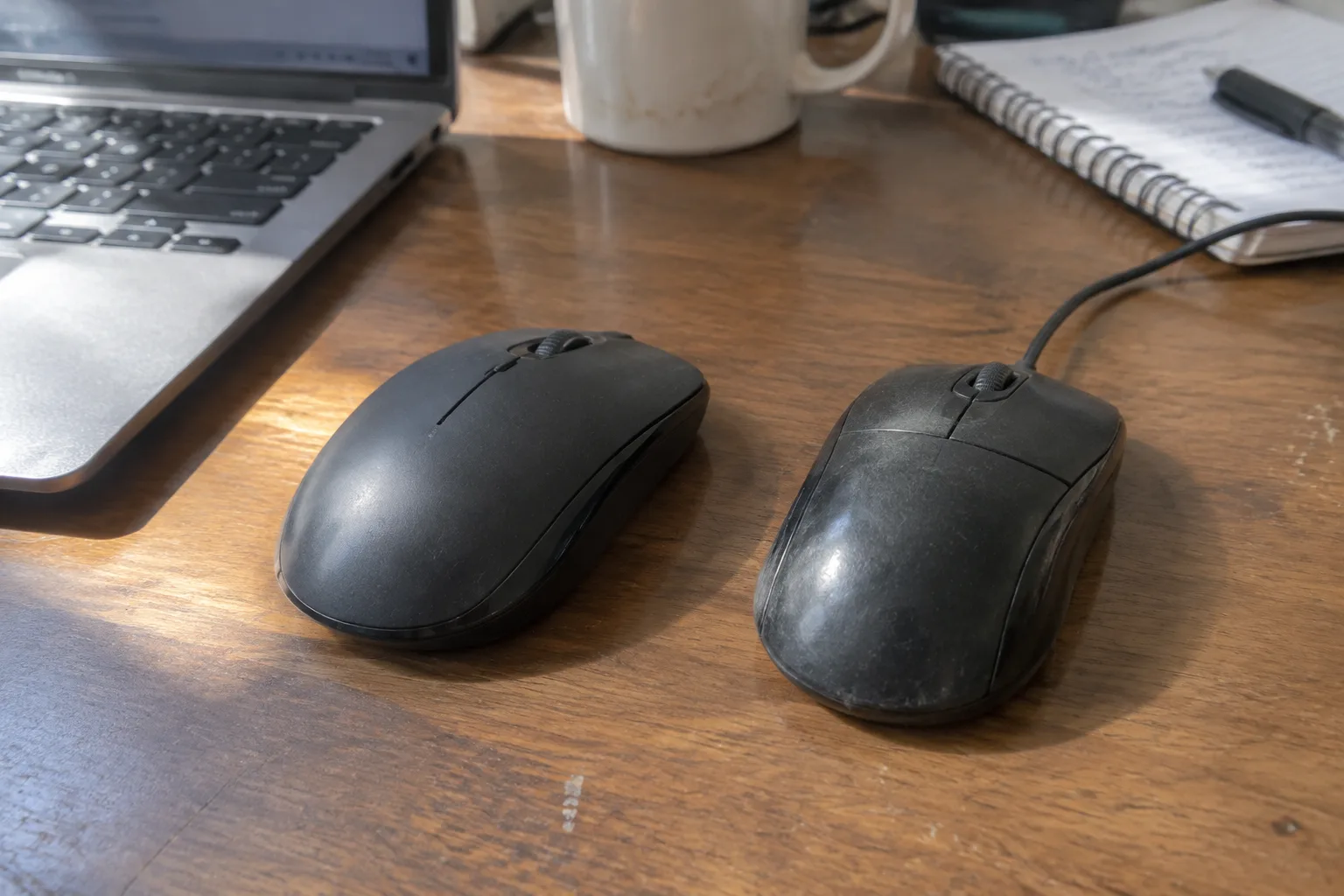
Logitech ships roughly the same sensor in a $20 wired mouse and a $70 wireless one. That single fact sits at the center of the wired-versus-wireless question, and it explains why the debate has never fully settled. The difference between the two categories is not, mostly, about tracking accuracy anymore. It is about the cable. Everything else follows from whether that cable exists.
Desktop setups in offices, dorms, and home workstations still split roughly down the middle. Retail shelves stock both types in quantity. The wired mouse has not died, and the wireless mouse has not won outright, which is unusual for a hardware category this old. The reason is that the trade-offs are real and they land differently depending on the desk.
The cable is the whole argument. Work outward from it.
What the cable actually does to a desk
A wired mouse tethers the hand to a port, and that tether has consequences beyond aesthetics. Cables snag on the corner of a keyboard tray. They catch under a monitor stand. They develop a memory of their own after a year of being dragged left and right, curling into a loop that pulls the mouse off course during a fast move. Anyone who has played a game and felt the cord catch mid-swipe knows the sensation: the cursor stutters, the aim drifts, and the cause is physical.
The tether also constrains where the mouse can go. A cable runs out. Desks configured with the tower on the floor and the monitor against the wall sometimes force an awkward cable route over the desk edge, and the mouse loses a few inches of travel in the direction that matters. Wireless mice erase that geometry problem. The hand moves, the cursor moves, and the desk stops being a map of cable paths.
There is a quieter cost too. A cable is a thing that can break. The strain relief where the cord meets the mouse body is the classic failure point, and a mouse with a frayed cable at that joint is a mouse that will start disconnecting intermittently before it dies. Wireless mice trade that failure mode for battery management, which is its own kind of chore but not a physical one.
Latency is a smaller factor than shopping advice suggests
The old knock on wireless was lag, and the old knock was accurate. Early radio mice dropped inputs and stuttered. Modern 2.4 GHz receivers and Bluetooth have closed most of that gap. A quality wireless mouse today reports movement fast enough that everyday tasks, spreadsheets, web browsing, document editing, feel indistinguishable from a wired mouse. The polling rate on competitive gaming models has climbed high enough that the remaining difference is measured in single-digit milliseconds, a range the human hand does not reliably perceive during ordinary clicking and dragging.
Bluetooth is the weaker link. It is convenient and it is standard, but Bluetooth connections can stutter when the radio band is crowded, and a crowded band is the normal condition of an office with a dozen laptops, headsets, and phones. A 2.4 GHz dongle avoids most of that congestion because it uses its own dedicated receiver. The practical rule: Bluetooth for portability and occasional use, a dongle for a desk that sees serious hours.
For everyday computer use, which is the subject here, latency has largely stopped being a reason to choose wired. The people who still need a cable for timing reasons are a narrow group, and they know who they are.
Batteries turn a purchase into a standing obligation
Every wireless mouse carries a maintenance contract. Disposable AA cells last months in a low-power office mouse and weeks in a high-performance one with RGB lighting and a high polling rate. Rechargeable models swap the battery chore for a charging chore, and the charging chore has an annoying shape: it arrives without warning, usually mid-task, and it forces either a pause or a scramble for a cable.
The workaround most people settle on is a charging dock or a spare cable kept permanently at the desk edge. That works. It also means the wireless mouse spends part of its life wired anyway, which undercuts the whole premise for that stretch of time. A mouse that needs charging every few days is a mouse with a cable in its future.
Wired mice simply never ask. Plug in, work, forget. The reliability is boring and total. For a shared family computer, a front-desk terminal, or any machine where the user is not the person who maintains it, that matters more than the freedom of a cordless desk.
The port problem on modern laptops
Laptops have spent the last decade deleting ports, and the wired mouse has paid for it. A thin laptop might offer two USB-C slots and nothing else. A wired mouse with a USB-A plug then needs a hub or an adapter, and that adapter is one more small object to lose, one more connection to fail, one more thing hanging off the side of a machine designed to be carried.
This is where wireless stops being a luxury and starts being the sane default. A Bluetooth mouse pairs with the laptop directly and leaves both USB-C ports free for power and a drive. A dongle-based mouse consumes one port but frees the workspace. Either way, the wireless mouse fits the shape of a modern laptop in a way the wired one no longer does.
Desktop towers are the opposite case. A tower under the desk has ports to spare, often on the front panel where a cable can reach without gymnastics. The wired mouse's biggest liability, the tether, is least painful exactly where the ports are plentiful.
Weight, balance, and how the two feel in the hand
Wireless mice carry a battery, and the battery adds mass. Manufacturers fight this with smaller cells and lighter shells, and the best modern wireless mice weigh within a few grams of their wired siblings. But the cheap end of the wireless market still produces mice that feel tail-heavy, with the weight sitting toward the back where the cell lives, and that imbalance shows up during precise work like selecting text or nudging a slider.
A wired mouse has no battery to place, so its weight distribution is simpler to get right, and even inexpensive wired models often feel more balanced than inexpensive wireless ones. The cable itself contributes a small drag, which some users barely notice and others find irritating. The drag pulls slightly toward the port, and on a fast horizontal swipe it can bias the cursor off line.
Shape and grip matter more than either of these factors for comfort during long sessions. A mouse that fits the hand reduces strain in the wrist and forearm regardless of whether it has a cord. Ergonomic designs exist in both categories, and the vertical mouse, the trackball, and the contoured right-hand shape all come in wired and wireless versions. The cable question is secondary to whether the shell matches the hand.
Travel, shared desks, and the cable that goes missing
A mouse that travels lives a hard life. It gets shoved into a bag, dropped on café tables, and used on surfaces that range from laminate to a jeans-clad thigh. A wired mouse in a bag means a coiled cable that tangles with charging bricks and headphones, and the plug end is the part most likely to bend or break in transit. A compact wireless mouse with a dongle that stores inside the battery compartment is the travel-friendly object, full stop.
Shared desks push the same way. In a hot-desk office or a classroom computer lab, cables are the thing that breaks and the thing that gets stolen or lost. A wireless mouse that pairs to one machine and stays with it removes a failure point. The counterargument is theft: a small wireless mouse is easier to pocket than a wired one, and offices that lock down equipment sometimes prefer the wired version precisely because it is inconvenient to walk off with.
Price and the long-run cost of convenience
At the entry level, wired wins on price with room to spare. A basic wired mouse costs a fraction of a comparable wireless model, and the gap widens once batteries, charging docks, and replacement cells enter the ledger over several years. The wireless premium buys freedom from the cable and the port, and whether that premium is worth paying depends on how much the cable actually annoys the user.
The calculation flips at the high end. Premium wireless mice now match premium wired mice on sensor quality and build, and the price difference shrinks to a modest margin. At that tier the decision comes down to desk setup and preference rather than budget. A person who has already spent on a good monitor and a mechanical keyboard is unlikely to be stopped by the wireless surcharge.
There is a middle path that gets overlooked: a wired mouse with a braided, flexible cable and a carefully routed path along the back of the desk. Done well, the cable disappears from awareness, and the setup keeps the wired mouse's reliability and price advantage. It takes ten minutes of cable management to get there, and most people never bother, which is why the cable's reputation for annoyance is partly a reputation for laziness.
Where each type earns its place
A fixed desktop with a tower and spare ports, used for long work sessions where reliability matters and the desk never moves, is wired-mouse territory. The cable can be routed out of the way, the price is lower, and the mouse never asks for a battery. A laptop that travels, a hot-desk station, a living-room computer, or any setup where ports are scarce and the desk gets reconfigured, is wireless territory. The convenience is real and it compounds daily.
The everyday computer user, the person checking email and editing documents and browsing, will find that either type does the job. The sensor is not the bottleneck. The deciding factors are the cable, the ports, and the tolerance for battery maintenance. Those three questions have concrete answers, and the answers point to a clear choice for a given desk. The mouse that fits the desk is the right mouse, and the desk, not the spec sheet, is where the decision gets made.