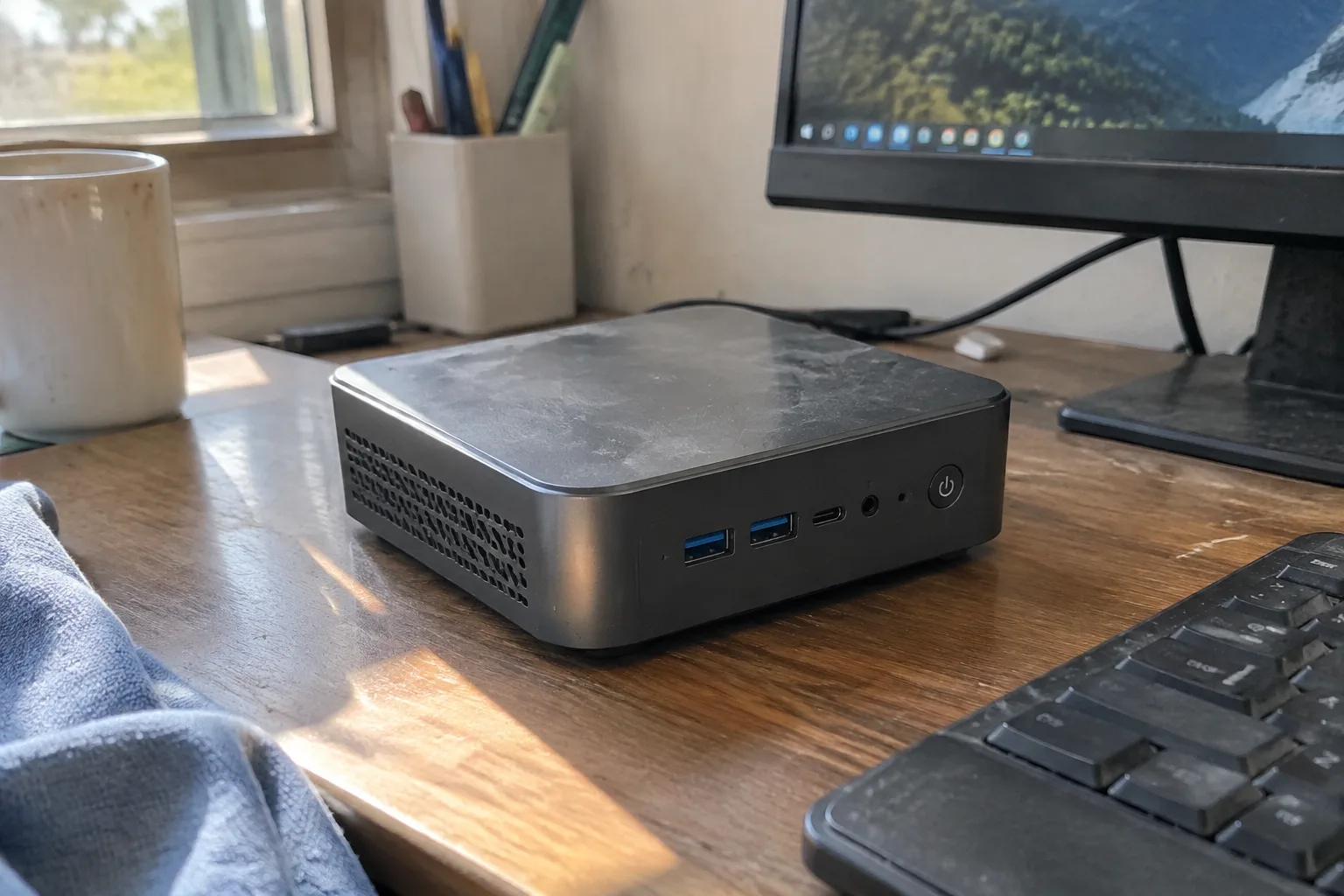
The desktop tower sitting under a home office desk has become mostly empty space. A few years of miniaturization have pushed the entire useful guts of a basic home computer, the part that browses, streams, writes email, and holds a video call, into a box the size of a paperback. That shift changes the buying decision: the question is no longer which processor wins a benchmark, but which small machine fits a particular corner of a house and stays quiet enough to forget.
Mini PCs split into three rough families, and the split matters more than any spec sheet. There are the N100-class boxes that cost $150 to $250 and run cool on a dozen watts. There are the slightly larger units with Ryzen or Core chips that handle real work. And there are the tiny fanless slabs that trade speed for silence and a fanless life. Most households need the first or second family, and almost none need the third.
What "basic home computing" actually demands
A believable list of tasks: a browser with eight or ten tabs open, a word processor, a spreadsheet, a video call, streaming to a TV or a monitor, and maybe a bit of photo sorting. None of that stresses a modern low-power chip. A $200 mini PC from 2024 runs circles around a $900 laptop from 2017 on every one of those jobs.
The real constraints are physical. Where does the box sit? How many cables does it need? Will its fan whine during a quiet evening? A basic home computer lives in a kitchen, a spare bedroom, a living room shelf. Those rooms punish loud fans and reward small footprints far more than they punish a slower processor.
Memory is the one spec worth guarding. Eight gigabytes is the floor for Windows 11 and a browser with a few tabs, and sixteen is the comfortable number. Many budget boxes ship with eight and a single slot, which means an upgrade later costs a screwdriver and $30. Buy the sixteen if the option exists at purchase.
The N100 boxes and what they get right
Intel's N100 and its cousins (N95, N150) anchor the budget tier. These are four efficient cores on a 6-watt budget, and they run without a heatsink larger than a deck of cards. A typical unit measures about 4 by 4 by 2 inches, draws under 15 watts at the wall, and ships with 16 GB of RAM and a 512 GB SSD for under $250. Beelink, GMKtec, and a rotating cast of brands sell near-identical versions of the same box.
The honest read on performance: fine for browsing, office documents, 1080p video, and video calls. Not fine for gaming beyond simple titles, serious video editing, or running a dozen heavy browser tabs alongside a spreadsheet. A person who mostly reads, writes, streams, and talks will never notice the ceiling.
Two things to check before buying one. First, the port situation: at minimum two HDMI outputs, four USB-A ports, and an Ethernet jack. Second, the power brick. Some of the cheapest units use a barrel connector and a chunky adapter; others run off USB-C PD, which means one cable to a monitor or a phone charger. USB-C power is the better buy.
When a Ryzen or Core chip earns the extra hundred dollars
Step up to a Ryzen 5 or a recent Core i3 in a slightly larger chassis (roughly 5 by 5 by 2 inches) and the machine handles everything the N100 does plus light photo editing, a virtual machine, or a browser with thirty tabs. These units cost $350 to $500, often come with 16 GB of RAM and a 1 TB drive, and run a fan that is audible only under sustained load.
The jump matters for households where one machine serves as the family computer: a teenager doing schoolwork, a parent running a spreadsheet, a grandparent on a video call, all rotating through. A little headroom buys years before replacement. The N100 is a fine second machine or a dedicated streaming box; the Ryzen tier is the safer only-computer choice.
Watch the RAM arrangement here too. Some Ryzen mini PCs solder memory to the board, which locks the machine at whatever it shipped with. Others use two SO-DIMM slots, which lets a buyer add memory later for far less than the manufacturer charges at checkout.
The fanless option and its quiet trade
A fanless mini PC, usually built around a low-power chip in a ribbed aluminum case, produces no noise at all. That matters in a bedroom, a recording space, or a living room where a fan's whine sits under every quiet scene. The cost is performance: fanless units typically run the weakest chips and throttle under sustained load, and they often cost more than a faster fanned box because the case is the expensive part.
For a basic home computer used for browsing, streaming, and writing, a fanless unit is a reasonable if slightly pricey choice. For anything heavier, the thermal ceiling shows up as stutter within minutes. A person shopping this category should decide which matters more: silence in a specific room, or the ability to do a heavy task without waiting.
Storage, ports, and the small details that annoy
Most budget mini PCs ship with a 256 GB or 512 GB SSD. That fills up faster than expected once photos, documents, and a few games land on it, and many units have a second M.2 slot for an added drive. Buying a 1 TB drive separately and installing it costs less than upgrading at checkout, though it means opening the case.
Ports deserve a hard look. A basic home setup usually needs two monitor outputs, a few USB-A ports for a keyboard, mouse, and printer, and Ethernet if the router sits nearby. Wi-Fi 6 is standard now and adequate; Wi-Fi 6E helps in crowded apartments. Bluetooth matters for wireless peripherals, and a weak antenna shows up as a mouse that stutters across the screen.
The Windows license is another quiet cost. Some budget boxes ship with Windows preinstalled; others ship bare or with a Linux distro, and a person who wants Windows pays roughly $100 more or installs it from a USB stick. For a household already comfortable with Linux, the bare version saves money. For everyone else, buy the preinstalled unit.
Mounting one behind a monitor changes the room
Most 4-inch mini PCs include a VESA mount plate, which lets the box bolt to the back of a monitor. The result is a single device on a desk: no tower, no cable spaghetti, one power cable and one HDMI cable running to the screen. In a small apartment or a shared desk, that physical consolidation is worth as much as any spec.
The catch is reach. A box mounted behind a monitor is awkward to power on, plug a USB stick into, or reset. Some units put the power button on the front face, which solves most of it; others bury it on top. A person who plans to mount the machine should check where the button and the USB ports sit before buying.
Cable length is the other trap. The included HDMI cable is often short, fine for a monitor mount but useless for reaching a TV across a room. A 6-foot cable costs little and saves a return.
What a $200 box cannot do
It cannot play modern 3D games at acceptable frame rates. It cannot edit 4K video without long waits. It cannot run a dozen browser tabs alongside a photo editor without the fan spinning up. And it cannot be repaired easily: many budget mini PCs use soldered memory and a single storage slot, so a failure in three years means replacement rather than repair.
Those limits are acceptable for a basic home computer. They become a problem the moment a household's needs grow: a child starts editing video for a school project, a parent takes up photography, a work-from-home job demands a heavier application. A person buying the cheapest box should know the ceiling exists and accept it.
A reasonable shortlist for three kinds of household
For a single person who browses, streams, writes, and video calls, an N100 box with 16 GB of RAM and a 512 GB SSD, USB-C powered, with two HDMI outputs, covers everything for around $220. Beelink's EQ12 and GMKtec's G3 are the common versions of this recipe.
For a family computer that rotates between several people and tasks, a Ryzen 5 or Core i3 unit with 16 GB of RAM, a 1 TB drive, and two SO-DIMM slots runs $400 to $500 and should last five years of ordinary use. The extra memory headroom is what keeps it from feeling old in year three.
For a bedroom, a recording space, or a living room where noise is unwelcome, a fanless unit with the strongest low-power chip available is the pick, accepting that heavy tasks will wait. The silence is the feature; everything else is a concession to it.
The pattern across all three: spend on memory and storage before spending on processor speed, check the port layout against the actual desk, and decide early whether the box will sit on a shelf or hide behind a monitor. Those choices shape daily use more than any benchmark number, and they are the ones a spec sheet rarely lists.


