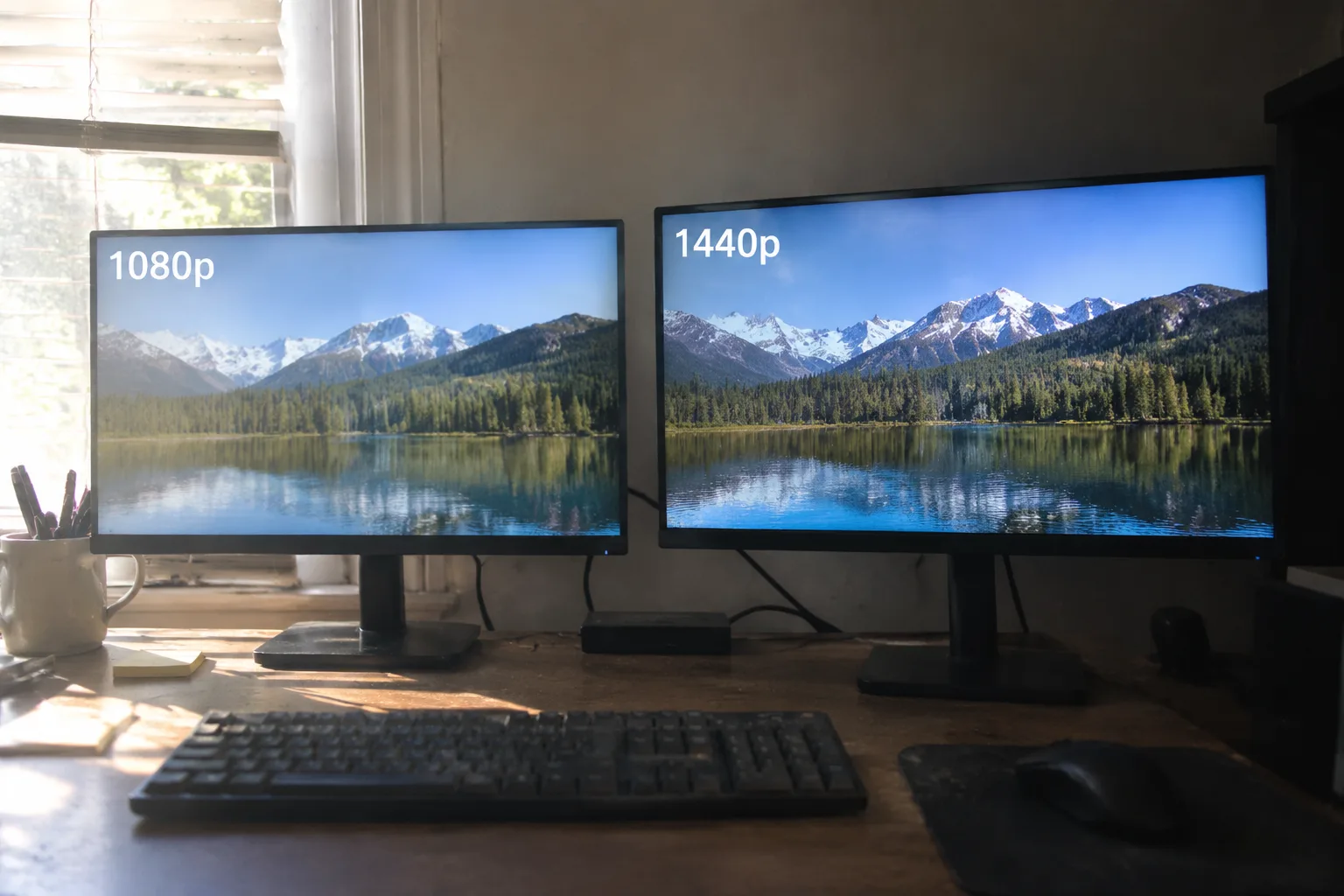
Dell stopped selling a 1080p version of its 27-inch UltraSharp years ago, and that quiet discontinuation told the story before anyone wrote it down. Once the panel makers pushed 1440p into the midrange price band, the older resolution became a compromise nobody had to make. The interesting question is no longer whether 1440p is better. It is who actually gains from the jump, and who is paying for pixels their eyes and their graphics card will never fully use.
The honest answer splits along lines most buying guides ignore: physical distance from the screen, the kind of work being done, and the age of the machine pushing the signal. A 1440p monitor is the right purchase for a specific cluster of people, and a waste of money for another cluster who will never notice the difference.
The Desk That Sits at Arm's Length
Pixel density is the whole argument compressed into one number. A 27-inch 1080p panel lands around 81 pixels per inch. The same size at 1440p climbs to roughly 109. That gap does not sound dramatic on a spec sheet. At a normal desktop viewing distance, somewhere between 20 and 30 inches, it is the difference between seeing the edges of individual letters and seeing smooth curves.
Anyone who reads long documents, edits spreadsheets with small type, or stares at code for six hours a day will feel the change in the first afternoon. Text rendering on a 1080p 27-inch screen has a slightly fuzzy quality that the eye adapts to but never quite stops working against. The 1440p version removes that friction. It is a small, constant comfort, and constant comforts are worth real money.
A person who games from a couch across the room, by contrast, sits far enough away that the pixels blur together regardless. The density upgrade evaporates with distance. So does most of the value.
Laptops and Desks Where One Screen Holds Two Windows
Screen real estate is the second strong case, and it is less about sharpness than about how much can fit. A 1440p panel offers roughly 78 percent more pixels than 1080p across the same diagonal. That headroom lets two full document windows sit side by side without either one shrinking to a cramped column.
Writers, analysts, and anyone who lives in a browser with twenty tabs open tend to hit the 1080p ceiling fast. Two windows on a 1080p 24-inch screen means each one gets about 960 horizontal pixels, which is barely enough for a comfortable text column once the sidebar and margins eat their share. On 1440p the same split leaves each window around 1280 pixels, which is the width of a normal laptop display. The setup stops feeling like a compromise.
This is the argument that rarely makes the marketing copy, because it is harder to photograph than a game running at high frame rates. It is also the one most office workers would notice immediately.
Gamers Whose Graphics Card Already Has Room to Spare
For gaming, the calculus is messier, and pretending otherwise does a disservice to anyone about to spend several hundred dollars. Pushing 1440p takes meaningfully more GPU horsepower than 1080p, roughly 1.8 times the pixel load. A midrange card from a few years back will handle it on high settings for most titles, but the newest, heaviest games may force a choice between resolution and frame rate.
The gamers who benefit most are those running a card with headroom, playing at 60 to 120 frames per second, and sitting close to a 27-inch screen. The extra sharpness is visible in foliage, distant geometry, and fine UI text. The gamers who should stay on 1080p are those chasing very high refresh rates on a tight budget, or running older hardware that already strains at the lower resolution. Paying for pixels the card cannot feed is the most common 1440p mistake.
Competitive players on a 24-inch screen at 1080p have a legitimate reason to stay put. The smaller panel keeps density high enough, and the lower resolution keeps frame rates high. Density and resolution are not the same thing, and confusing them leads people to buy the wrong monitor.
Photographers and Video Editors Who Crop
Image work rewards resolution in a way that ordinary use does not. A photo editor zooming into a RAW file needs pixels to inspect, and a 1440p screen shows more of the frame at 100 percent than a 1080p one. The same logic applies to video timelines, where more horizontal room means more tracks visible without scrolling.
These users also tend to sit close and work in color-managed environments, which means the panel quality matters as much as the resolution. A cheap 1440p screen with poor color coverage serves them worse than a good 1080p one. Resolution is one variable in a bundle, and the bundle has to hold together.
The 24-Inch Question
Size changes the recommendation. A 24-inch 1080p monitor sits at about 92 pixels per inch, which is close enough to the 27-inch 1440p figure that most people will not notice a density difference at normal distance. The case for upgrading at that size weakens considerably.
Buying a 24-inch 1440p panel is a different matter. Density jumps to around 122 pixels per inch, text turns razor sharp, and the screen becomes excellent for reading and detailed work. It is also a less common configuration, and the price premium over 1080p at that size can be steep relative to the gain. The sweet spot for most buyers remains 27 inches at 1440p, where size and density balance without either one dominating the price.
Refresh Rate and the Budget Trap
Resolution is not the only spec competing for the same dollars. A 1080p monitor at 144 Hz often costs less than a 1440p panel at 60 Hz, and for some buyers the smoothness matters more than the sharpness. Fast-paced games, especially shooters, benefit from higher refresh rates in ways that resolution cannot match.
The trap is buying a cheap 1440p screen with a slow panel and poor response time, then discovering it feels worse than the 1080p display it replaced. A budget 1440p monitor with a 60 Hz panel and visible smearing is a downgrade in everything but pixel count. Buyers in that bracket are usually better served by a good 1080p high-refresh panel, or by saving longer for a 1440p screen that does not cut the corners that matter.
The Scaling Problem Nobody Warns About
Operating systems handle 1440p at 27 inches reasonably well, but scaling is not always seamless. Some older applications render blurry at non-integer scaling factors, and a few stubborn programs assume 100 percent scaling and produce tiny, unreadable interfaces. Windows has improved here over the past several years, and macOS handles high-density displays gracefully, but the occasional awkward app remains.
This is a minor annoyance for most and a genuine headache for a few, particularly people who depend on legacy software for work. It is worth checking before committing, because a monitor that makes one essential program unusable is a bad purchase regardless of how sharp the spreadsheet looks.
When the Old Monitor Still Earns Its Place
A 1080p display remains the correct choice for a second screen used mainly for chat windows, email, and reference material. It is the right pick for a guest machine, a child's first computer, or a budget build where every dollar goes toward the graphics card. It is also fine for anyone who genuinely cannot see the difference, and that group is larger than the enthusiast forums admit.
The upgrade pays off when the screen is the thing being looked at for hours, at close range, for work that rewards clarity or space. Outside those conditions, the older resolution keeps doing its job without complaint.
A Simple Test Before Spending
Before buying, measure the distance from eye to screen and count the hours spent reading text on it. If the distance is under 30 inches and the hours are high, 1440p earns its price. If the screen sits across a room or serves mostly as a video surface, the money is better spent elsewhere.
The final check is the graphics card and the budget. A machine that cannot push the extra pixels, or a wallet that cannot absorb a quality panel, turns the upgrade into a compromise dressed as an improvement. The right monitor is the one whose strengths match the way it will actually be used, and for a large share of desk-bound workers, that monitor is now 1440p.


