The laptop aisle at a big-box store has a way of flattening a real decision into a sticker. Two machines sit side by side, same screen size, same processor family, and one costs a hundred and fifty dollars less. The cheaper one has more room inside. Two terabytes, sometimes, against five hundred gigabytes. The number is bigger and the price is lower, which feels like a bargain until the machine takes ninety seconds to finish booting and the fan spins up every time a browser tab opens.
Storage is the part of a laptop people think about last and feel every single day. The choice between a solid-state drive and a spinning hard disk shapes how the machine behaves in ways that are hard to see on a spec sheet and impossible to ignore at a desk.
Two Different Machines Inside the Same Case
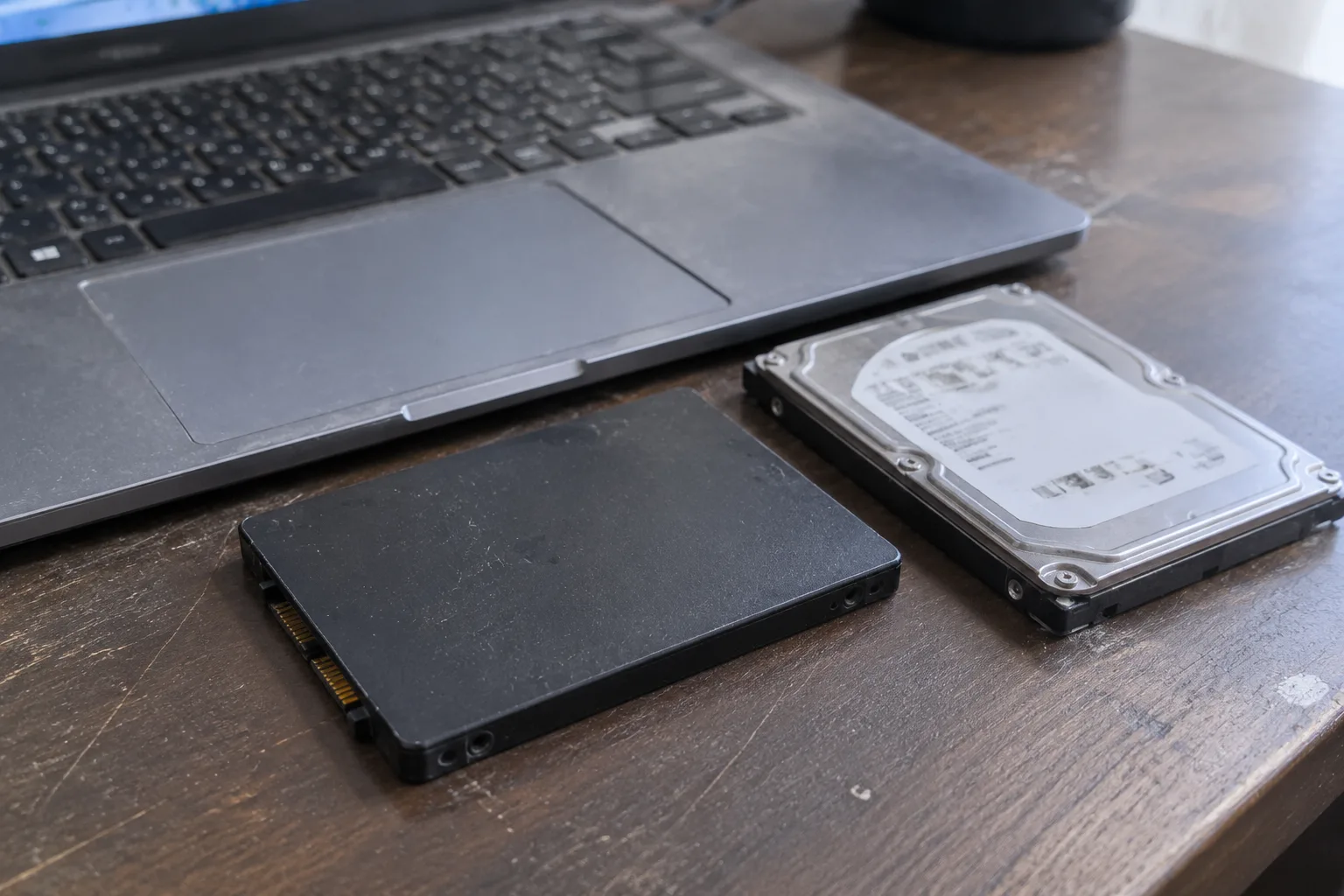
A hard disk drive stores data on magnetic platters that spin, usually at 5,400 or 7,200 revolutions per minute, while a read head floats a few nanometers above the surface. A solid-state drive has no moving parts at all. It keeps data in flash memory cells, the same basic technology as a phone or a memory card, and it finds that data electrically.
The mechanical difference explains almost everything that follows. An HDD has to physically position a head over a spinning disk before it can read a file. An SSD just addresses the right cells. That gap shows up as latency, and latency is what a person actually feels when a laptop opens an app or wakes from sleep.
There is also a size and power story. A 2.5-inch hard drive is a chunky slab of metal and glass. An M.2 solid-state drive is roughly the size and weight of a stick of gum. In a thin laptop, that difference is the reason the SSD exists in the first place: the case has no room for a spinning platter and no patience for the heat it throws off.
Why a Cheap Laptop With 2 TB Feels Slower Than an Expensive One With 512 GB
This is the trap that catches budget shoppers. A low-end laptop often pairs a modest processor with a large hard drive, because storage is cheap per gigabyte and the marketing team knows a big number sells. The result is a machine that can hold an entire photo library and still makes its owner wait through a spinning cursor every morning.
Boot time is the clearest example. A modern operating system on an SSD typically reaches a usable desktop in well under half a minute. The same system on a 5,400 rpm hard drive can take a minute or more, and the delay compounds: updates, antivirus scans, and background indexing all queue up behind the slow disk. A person notices this every day without ever opening a task manager.
File operations tell the same story. Copying a folder of photos to an external drive, installing a large game, launching a big spreadsheet: each of these leans on random reads and writes, the exact workload where a spinning disk is weakest. The SSD finishes and moves on. The HDD grinds.
The Price Gap Has Narrowed to Almost Nothing
For most of the 2010s, the argument for a hard drive was simple economics. Flash memory cost several times more per gigabyte, and a terabyte of SSD storage was a luxury. That gap has compressed. Solid-state drives now sit close enough to hard drives on price that the old math no longer holds for laptops.
Part of the reason is form factor. Laptops have moved to M.2 slots, and the drives that fill them are manufactured at enormous volume for phones and tablets as well. The economies of scale that once belonged to the 2.5-inch hard drive have shifted to flash. In a laptop, the hard drive is now the odd part out, a legacy component kept alive mostly by the cheapest desktop towers and external backup enclosures.
There are still places where an HDD wins on cost per terabyte, and those places are mostly not portable. A desktop used as a media server, a network-attached storage box, a security camera recorder: these are machines that sit in one spot and write large files continuously. A laptop is a different animal.
Durability on a Desk, in a Bag, on a Train
A hard drive is a precision instrument that happens to live inside a device people drop. The read head floats above the platter at a distance smaller than a smoke particle, and a sharp knock while the disk is spinning can bring the two into contact. That is the origin of the dreaded clicking sound, and it is the reason laptop hard drives have a limited tolerance for being carried around in a backpack that gets tossed onto a seat.
An SSD has no head to crash and no platter to scratch. It tolerates vibration and sudden motion far better, which matters for anyone who works on a train, in a car, or on a lap that shifts. The flash cells do wear out with writes, but a modern drive manages that wear in the background and typically outlives the useful life of the laptop around it.
This is the quiet argument for SSD in a portable machine. A laptop is built to move. The storage inside it should be built to move too.
What the Hard Drive Still Does Well in a Laptop
Honesty requires acknowledging the narrow cases. A person who needs to carry an enormous media library, say several terabytes of raw video or a lifetime of high-resolution photos, can find a laptop hard drive cheaper per gigabyte than flash. The same is true for someone buying a secondary machine that lives on a desk and mostly archives files.
There is also the matter of repairability and data recovery. A failed hard drive can sometimes be sent to a specialist who swaps platters or rebuilds the mechanism. A failed SSD is usually a closed door. For a person with irreplaceable files and no backup, that distinction has real weight, though the better answer is a backup, not a slower drive.
These cases exist. They are just rare in the context of a general-purpose laptop that someone carries to work, to class, or to a coffee shop.
The Hybrid Drives That Tried to Split the Difference
For a stretch, manufacturers sold a compromise: a hard drive with a small flash cache bolted on, marketed as a solid-state hybrid drive. The idea was that the drive would learn which files were used most and keep them on the fast flash portion. It worked well enough to be noticeable and never well enough to be convincing.
The problem is that a cache is a guess about the future. When the guess is right, the drive feels quick. When it is wrong, the machine falls back to spinning rust and the user experiences the worst of both worlds. Hybrid drives have largely faded from laptops for that reason. They were a bridge technology, and the bridge got crossed.
How Much Space a Normal Laptop Actually Needs
The storage number on the box is not the storage a person gets. The operating system takes a slice, recovery partitions take another, and the formatted capacity is always smaller than the advertised figure. A 512 GB drive typically leaves somewhere in the neighborhood of 450 GB usable, and a chunk of that goes to system files and updates.
For most people, that is plenty. Documents, spreadsheets, and a few thousand photos fit comfortably. The space pressure comes from games, video projects, and offline media libraries. A person who keeps a dozen modern games installed at once will feel 512 GB pinch, and 1 TB becomes the sensible floor. Someone who lives in a browser and a word processor can get by on 256 GB, though that is tight enough to require occasional housekeeping.
The point is that the capacity question is separate from the technology question. Figure out how much space is needed first, then refuse to buy that space on a spinning disk.
Upgrading Later Is Easier Than It Used to Be, and Harder Than It Looks
Many laptops now ship with an M.2 slot that accepts a larger drive, and swapping one in is a matter of opening the bottom panel, removing a single screw, and sliding the old stick out. For a machine with a serviceable design, that upgrade can extend its life by years.
The catch is that the trend has moved the other way. Thin laptops increasingly solder storage directly to the mainboard, which means the drive chosen at purchase is the drive for the life of the machine. A buyer who saves money by picking the smaller drive may find there is no path to more space later. Checking whether the storage is socketed or soldered before buying is worth more than most spec-sheet comparisons.
For a machine that does allow an upgrade, buying the smaller SSD and adding a larger one later is often the smarter move. The drive prices fall over time, and the labor is trivial for anyone comfortable with a screwdriver.
The Verdict a Person Can Actually Act On
A laptop should have a solid-state drive. The reasoning is not subtle: the SSD is faster in every operation a person performs, more durable in a device that gets carried, quieter, cooler, and now close enough in price that the old trade-off has mostly evaporated.
The only real decision left is how much flash to buy. Pick the capacity that fits the files, then accept the SSD price for that capacity. A hard drive in a laptop in the current market is a sign that the machine was built to hit a price, and the buyer will feel that decision every time the cursor spins.
The sticker on the shelf says 2 TB for less money. The machine in the bag says something else entirely, and it says it every morning at the login screen.


