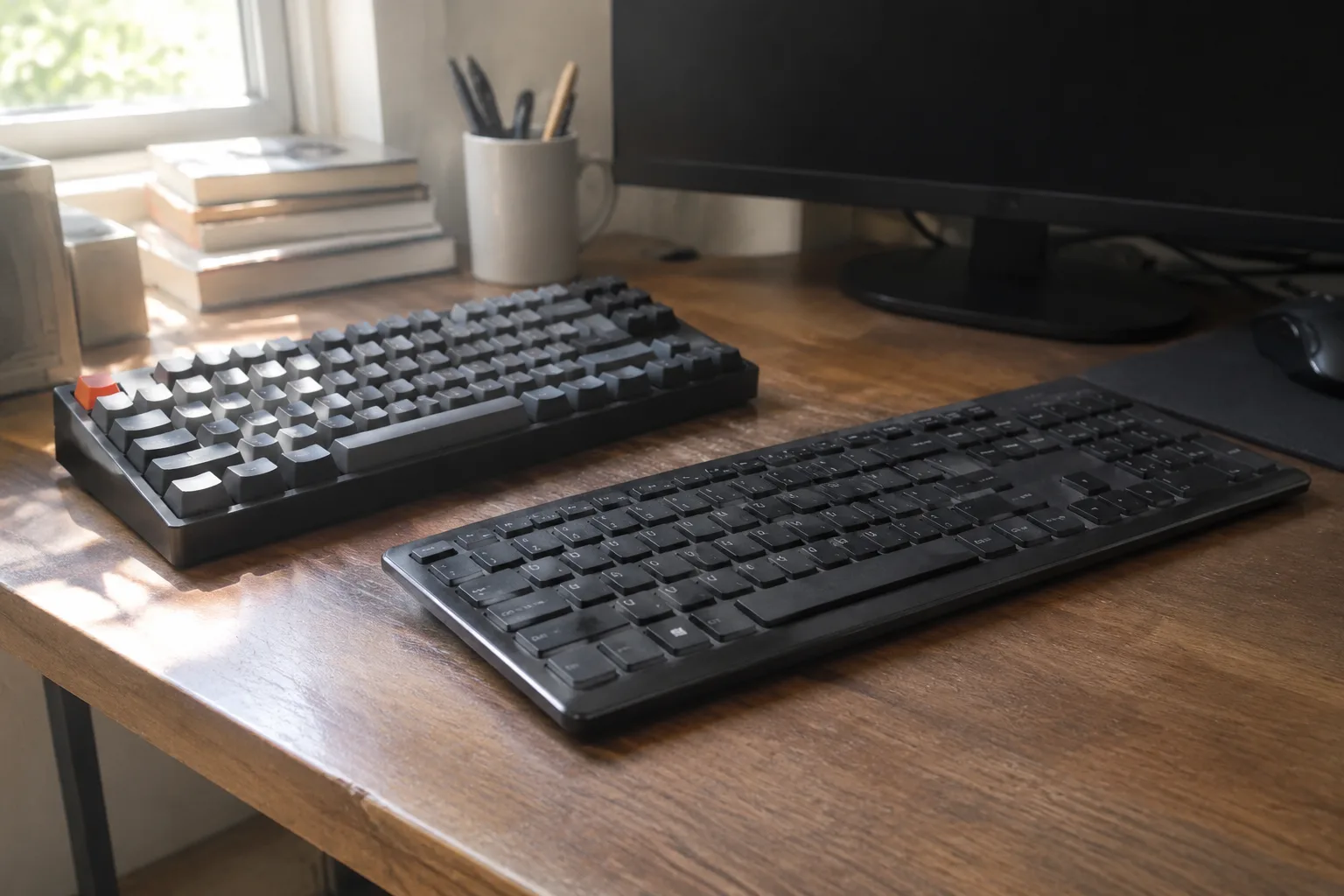
Two keyboards sit on the same desk at a small software office in Bristol. The one on the left is a chunky beige slab from the late 1980s, its keys chattering like pebbles in a tin. The one on the right is the laptop's own keyboard, flat as a placemat, each press a soft thud with almost no travel. The typist moves between them through the day and pays a different tax on each. That tax, measured in tiredness and in the small friction of a long afternoon, is the whole argument.
Mechanical keyboards use discrete switches under every key, usually a spring and a stem that physically complete a circuit. Membrane keyboards, including most laptop keyboards and the low-cost boards sold in office supply aisles, use a rubber dome or a sheet with conductive traces that collapses when pressed. The mechanism matters less than what it asks of the hands across hours of use. That is the question worth answering for anyone who types for a living.
The Feel Difference Shows Up Around Hour Three
The first hour on any keyboard feels fine. Hands are fresh, attention is high, and even a bad board can carry a burst of email. The differences surface later, when the wrist has done the same small motion several thousand times and the forearm starts to notice.
A mechanical switch gives a defined actuation point, a moment where the press registers and then a clean bottom-out or a stop before it. That definition means the finger learns exactly how much force is needed and can stop pressing earlier. On a membrane dome the resistance rises gradually, so the finger often bottoms out against the base to be sure the keystroke counted. Thousands of bottomed-out presses in a day add up to a dull ache at the base of the fingers.
There is a second effect that gets less attention. Membrane domes stiffen as they age. The rubber loses its snap, the keys go mushy, and the force curve that felt acceptable in January feels like pushing through wet cardboard by the following winter. A mechanical switch keeps its character for years, or until the spring wears, which is a long time.
Where Mechanical Boards Earn Their Keep in Long Sessions
For anyone who spends six or seven hours a day in text, the mechanical board offers three things that matter. The first is tactile feedback that lets the hands work with less visual checking. Touch typists on a good switch know when a key has registered without looking down, which keeps the eyes on the screen and the rhythm steady.
The second is consistency across the whole board. Cheap membrane keyboards often have uneven keys, where the space bar needs a harder press than the letters and the number row feels different from the home row. That inconsistency forces the hands to recalibrate constantly, and recalibration is fatigue.
The third is replaceability. A mechanical board can be repaired key by key. A failed switch is swapped in minutes. A membrane board that develops a dead spot, usually from a spilled drink or a worn dome, is often a write-off. For a heavy user the mechanical board can outlast two or three cheap membrane boards, which reframes the higher sticker price.
The Noise and Travel Costs Nobody Mentions in the Spec Sheet
The mechanical board is not free of costs. It is louder. Even a "silent" switch produces a clack that carries across an open office or through a shared wall at home. A typist in a quiet room with a sleeping child nearby will feel that noise as a real constraint, and no amount of switch marketing removes it.
Mechanical boards also tend to be taller. The keycaps sit higher off the desk, which raises the wrist and can push the forearm into a sharper angle unless a wrist rest is used. That extra height is a genuine ergonomic factor for smaller hands or for anyone already carrying tension in the shoulders.
And they are heavier, often 800 grams to over a kilogram, which matters for anyone who carries a board between home and office. The laptop membrane keyboard wins on portability by default because it is already there.
The Membrane Keyboard's Quiet Case for Itself
Membrane keyboards have a reputation as the cheap option, and that reputation is partly deserved. But the better membrane boards, the ones on premium laptops and the low-profile office boards, are not automatically worse for long typing. They are thinner, quieter, lighter, and spill-resistant in a way most mechanical boards are not.
A typist with a light touch, someone who does not bottom out and who works in short bursts rather than marathon sessions, may never notice the membrane penalty. The domes that bother a heavy user are irrelevant to someone typing a few hundred words between meetings. The keyboard is a tool matched to a workload, and a light workload does not demand the heavy tool.
There is also the question of desk space and aesthetics. A membrane board is often a slim rectangle that leaves room for a notebook. A mechanical board is a slab that claims territory. For a small home desk shared with other work, that geometry is a real factor.
Switch Choice Decides Whether the Mechanical Board Actually Helps
A mechanical board is not one thing. The switch under the key decides the experience, and choosing badly can make a heavy board worse than a good membrane one.
Linear switches travel smoothly with no bump, which suits fast typists who want speed and do not need tactile confirmation. Tactile switches have a small bump at the actuation point, a favorite for long typing because the finger feels the moment of registration. Clicky switches add an audible click on top of the bump, satisfying for some and unbearable for deskmates.
The weight of the spring matters as much as the type. A heavy switch, around 60 to 70 grams of actuation force or more, tires the fingers over a long session. A lighter switch, in the 35 to 45 gram range, reduces finger effort but can lead to accidental presses for heavy-handed typists. The right weight is the one that lets the hand rest without pressing and type without straining, and that is personal enough that a single recommendation is useless.
The Wrist Angle Problem Applies to Both Kinds
Ergonomics gets discussed as if the keyboard alone decides hand health, and that framing is wrong. The angle of the wrist, the height of the desk, the position of the elbows, and the frequency of breaks matter as much as the switch type. A mechanical board on a too-high desk with no wrist support can produce the same ache as a membrane board in the same setup.
The practical rule is that the keyboard should sit low enough that the forearms stay roughly parallel to the floor and the wrists stay neutral. A mechanical board's extra height often requires a wrist rest or a keyboard tray to reach that position. A membrane board's low profile reaches it more easily. Neither board fixes a bad desk.
A Practical Way to Decide Without Buying Twice
The honest test is a week of real work on each. Borrow a mechanical board with tactile switches for five working days, type the normal workload, and note when the hands start to tire and whether the noise becomes a problem. Then return to the membrane board for a week and note the same things.
Most people will find the answer is not close. Heavy typists tend to report that the mechanical board reduces finger fatigue and improves rhythm, and the difference is obvious by the end of the week. Light typists tend to report that the mechanical board feels like overkill and the noise is annoying.
The one group that should not bother is anyone who types fewer than two or three hours a day and works in a shared quiet space. For that person the membrane board is the correct tool and the mechanical board is a hobby.
The Person Who Types Eight Hours a Day Should Buy the Mechanical Board
For the writer, the programmer, the translator, the person whose income depends on the keyboard, the mechanical board with a tactile switch in the 45 to 55 gram range is the better long-session instrument. It reduces the small repeated effort of bottoming out, it stays consistent for years, and it can be repaired rather than replaced. The higher price is paid back in fewer replacements and less daily friction.
For everyone else, the membrane keyboard on the laptop is fine and the money is better spent elsewhere. The keyboard is a tool, and the right tool is the one matched to the work. A person who types eight hours a day and a person who types forty minutes a day need different boards, and pretending otherwise is how people end up with an expensive slab they never use.


