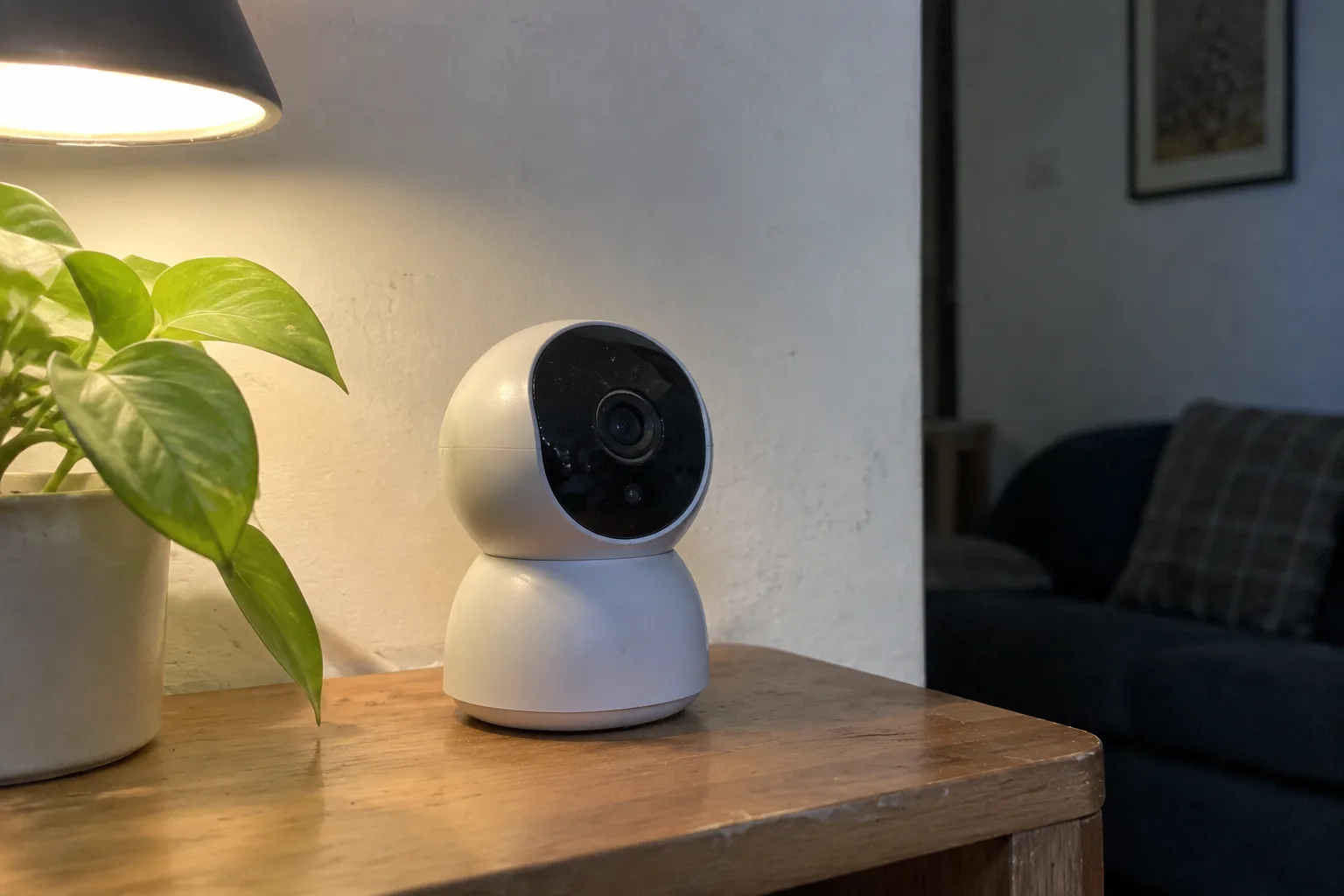
A security camera that stops working the day the manufacturer shuts down its cloud service is a rented camera. The hardware sits on the wall, paid for in full, but the recording, the alerts, the remote viewing, and often the playback history all depend on a subscription that can be repriced or discontinued at any time. Buyers discover this after the fact, usually when the app pushes a notice about a "plan change" or when the free tier quietly loses features. The subscription-free category exists precisely to avoid that trap, and the cameras in it share a set of design choices that are easy to check before purchase, if a buyer knows what to look for.
Local storage is the dividing line. A camera that records to a microSD card, a USB drive, or a network video recorder keeps working when the internet drops and when the vendor's servers go dark. A camera that records only to the cloud does not. Most subscription-free models still offer optional cloud plans, and that is fine, as long as the local path is fully functional without one. The question to ask is blunt: with the ethernet cable unplugged and the account deleted, does the camera still record, and can the footage be retrieved?
The microSD card inside the camera body
The simplest no-fee cameras are single units with a card slot behind a rubber flap. A 128 GB card holds roughly two weeks of continuous 1080p footage on many models, or far longer if the camera records only on motion. Playback happens through the app, over the local network, without a server in between. When the card fills, the oldest footage is overwritten automatically.
The catch is physical. A camera on a porch or a garage wall is reachable by anyone with a ladder, and the card is the entire archive. A thief who spots the camera can take the card with the camera. Some models mitigate this by uploading clips to a free-tier cloud account as a backup, which reintroduces a vendor dependency, though a limited one. Others encrypt the card so it is useless when removed, which protects privacy but does nothing for evidence if the whole unit disappears.
Card quality matters more than most buyers expect. Cheap cards fail under the constant write load of video, and a failed card in a camera with no other storage means no footage at all. A high-endurance card rated for surveillance use costs a little more and is the difference between a working archive and a dead one after a hot summer.
A base station that keeps the recording out of reach
The stronger arrangement puts storage in a separate hub indoors, connected to the cameras over a proprietary wireless link or the local network. The cameras hold no card, so a person who takes one down gets a plastic shell. The footage stays in the house. Hubs from several brands accept a USB hard drive or an internal drive, and a 1 TB drive can hold months of event clips.
These systems cost more up front, often two to three times a single camera, and the hub is a single point of failure. If it dies, every camera goes dark until it is replaced. A buyer should check whether the hub works without an internet connection at all. Some do, serving live view and playback to a phone on the same Wi-Fi network even when the broadband is down. Others insist on phoning home to a vendor server before they will show a single frame, which defeats much of the point.
The ethernet cable and the power-over-ethernet question
Wired cameras are the least fashionable option and the most reliable. A cable carries both power and data, so the camera never needs a battery swap and never drops off Wi-Fi. The recording lives on a network video recorder, a small box with a hard drive that sits in a closet and runs without any internet connection. A local monitor or a phone on the same network can pull up the footage.
The cost is installation. Running cable through an attic or along an exterior wall is a weekend project for a confident DIYer and a few hundred dollars for an electrician. Renters usually cannot do it at all. The reward is a system that keeps recording through a power outage if the NVR is on a battery backup, keeps recording through an internet outage always, and has no vendor that can turn it off.
Power-over-ethernet, usually shortened to PoE, is the standard for this category. A single cable from a PoE switch or injector powers the camera and carries the video. Buyers should confirm the camera supports the common 802.3af standard rather than a proprietary injector, because a dead injector from a discontinued product line is hard to replace.
Reading the fine print on the free tier
Many cameras advertise "no subscription" and mean something narrower. The camera records locally, but person detection, package alerts, or rich notifications require a paid plan. The camera still works, but the smart features that made it worth buying are locked. A buyer should list the features that actually matter, then verify each one runs on the local path.
Two features deserve special scrutiny. First, AI detection: some cameras run person and vehicle recognition on the device itself, which keeps working offline, while others send frames to a server for analysis, which does not. Second, remote viewing away from home: a camera that only streams locally is fine for a cabin or a garage, but a person who wants to check the front door from a hotel room needs a remote path, and that path usually runs through the vendor. The honest question is whether that remote path is free forever or free until the next app update.
Firmware updates are the quiet dependency. A camera that stops receiving security patches becomes a liability on the home network, and vendors have historically used end-of-support deadlines to push owners toward new hardware. A model from a company with a long track record of supporting older devices is worth more than a cheaper model from a brand that has already cycled through three product lines.
What the footage is actually worth in court or to an insurer
Local storage has an underappreciated advantage in disputes. Footage on a card or a home drive can be exported as a file and handed to police or an insurance adjuster without going through a vendor's evidence request process. Cloud-only systems sometimes require a subpoena or a formal law enforcement portal, and the retention window is set by the subscription tier. A homeowner with a five-day cloud plan may find the relevant clip already deleted by the time a claim is filed.
The flip side is that local footage is only as safe as the house. A fire that destroys the NVR destroys the evidence along with it. A cheap mitigation is a second copy: many NVRs and hubs can push event clips to a network-attached storage box in another room, or to a card in a camera at the far end of the property. Redundancy in two places beats a single cloud plan for resilience, though it requires more setup.
The battery camera that quietly needs a plan
Battery-powered cameras are the most common trap in this category. A wire-free camera on a magnetic mount is easy to install, and many are sold with a "free" plan that covers a few days of cloud history. The catch is that battery cameras sleep between events to conserve power, and waking them for local recording to a card is often unreliable or unsupported. The free cloud tier is doing the real work, and when the vendor changes the terms, the camera loses its memory.
A buyer set on battery power should look for a model that records to an internal card or a nearby hub on motion, and should test the local path during the return window. If the app will not play back a clip with the internet disconnected, the camera is a cloud device wearing a local-storage costume.
The one question worth asking before checkout
Strip away the marketing and the decision reduces to a single test: unplug the router, delete the account, and see whether the camera still records and whether the footage can be pulled. A camera that passes is a piece of property. A camera that fails is a subscription with a lens attached, and the price on the box is only the first payment.


