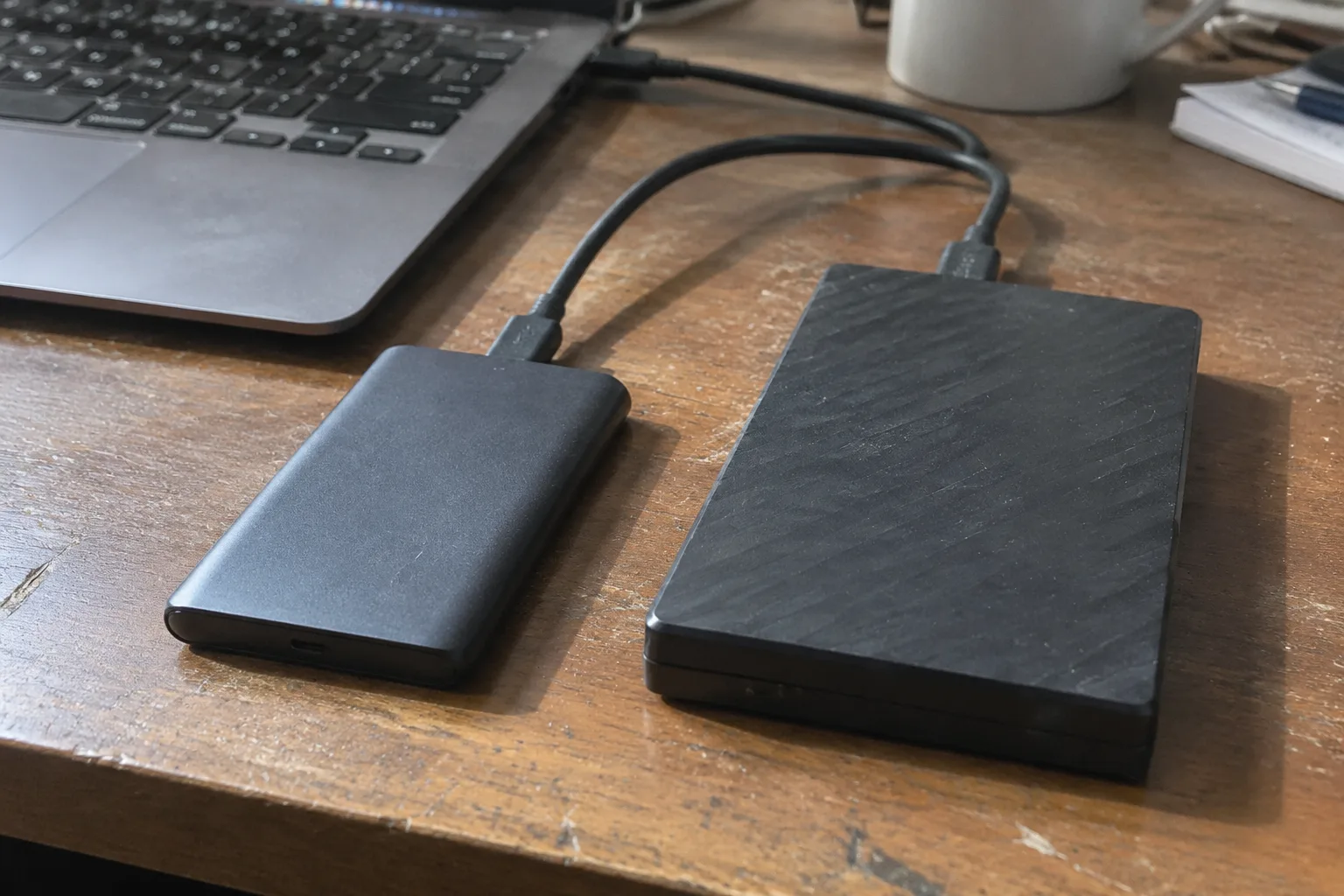
Two numbers explain the whole category split. A spinning-platter external hard drive writes at roughly 120 to 160 megabytes per second. A SATA SSD in a USB enclosure holds 400 to 550. A fast NVMe drive behind USB 3.2 or Thunderbolt reaches past 1,000. That gap is the entire argument, and it is also where the argument gets complicated, because a backup is not a file transfer and speed is not the only thing a backup needs.
The case for the hard drive has always rested on price per terabyte. An 8 TB desktop HDD can land near the cost of a 2 TB portable SSD. For someone archiving a photo library, that ratio does real work. Storage budgets are finite, and a backup plan that covers 4 TB is worth more than a faster plan that covers 1 TB and leaves half the archive unprotected.
The case for the SSD rests on the fact that backups only happen when they are painless. A drive that finishes in minutes gets run weekly. A drive that grinds for three hours gets deferred, and a deferred backup is the same as no backup at all.
What each drive actually is
An HDD stores data on magnetic platters read by a moving head. It has parts that spin, which means it has parts that eventually stop spinning, and it is sensitive to shock while running. A knocked-over external drive during a write is a genuine risk to the data on it.
An SSD stores data in flash memory with no moving parts. It tolerates bumps, runs silent, and draws less power. Its weakness is a different one: flash cells wear out after a finite number of writes, and an SSD left unpowered for long stretches can lose charge in its cells, though modern drives handle this far better than early models did.
The number that matters is not peak speed
Manufacturer specs quote sequential read and write speeds, the rate for one big continuous file. Real backups are full of small files, and small-file performance depends on latency and random access. This is where SSDs pull dramatically ahead. An HDD has to physically move its head to find each fragment, so a backup of a folder with tens of thousands of small documents crawls in a way its headline write speed never predicts.
A full disk image is closer to the sequential case, so the gap narrows there. A routine incremental backup of scattered changed files is closer to the random case, and the SSD can feel several times faster in practice even when both drives quote similar numbers on the box.
This is the part most comparisons skip. The spec sheet measures a best case. The backup measures a messy one.
Where the cost gap has actually narrowed
SSD prices have fallen hard, but the tiers are still distinct. At the low-capacity end, a 1 TB portable SSD and a 1 TB portable HDD are not far apart, and the SSD's advantages are worth the small premium for most people. The gap widens as capacity climbs. At 4 TB and up, the HDD wins on cost by a margin that no speed argument erases for a buyer watching a budget.
So the honest split is capacity-driven. Small backup sets favor the SSD. Large archives favor the HDD, and the reason is arithmetic, not preference.
Backups are not the same as archives
A backup is a working copy that gets overwritten and updated often. An archive is a long-term cold store. These two jobs want different drives.
The working backup benefits from speed, portability, and shock tolerance, which points to an SSD. The cold archive benefits from capacity and low cost per terabyte, and it may sit in a drawer for a year between checks, which historically favored the HDD. The archive also has an advantage the SSD lacks: a platter drive on a shelf holds its data without power, while flash sitting idle for a long time is the less settled case.
Mixing the two jobs on one drive is where people get into trouble. A single external drive that holds both the live backup and the only copy of a decade of photos is a single point of failure regardless of what is inside it.
The 3-2-1 rule does not care about the drive type
The old rule is three copies, two media types, one copy offsite. It survives because it addresses the actual failure modes: a house fire, a ransomware event, a dropped drive. The rule never mentions HDD or SSD because both fail, and the point is redundancy, not ruggedness.
A person who buys one expensive SSD and treats it as the backup is worse protected than a person with two cheap HDDs and a cloud copy. The second setup has three failure modes covered. The first has one drive.
This is why the speed debate can be a distraction. The drive type is a small variable next to the number of copies.
Where the HDD still wins outright
Large-capacity backups that run overnight. Media libraries measured in terabytes. Network-attached storage where a spinning drive can sit in a box in a closet and be written to on a schedule. Any job where the data volume is big enough that the SSD premium multiplies into real money, and where the backup runs unattended so speed does not matter to a human.
The unattended case deserves emphasis. If the backup runs at 2 a.m. while everyone sleeps, a three-hour HDD pass and a forty-minute SSD pass produce the same result by morning. Speed only buys something when a person is waiting.
Where the SSD wins and the HDD stumbles
Laptops that travel. Backups done in the ten minutes between meetings. Photo and video work where the drive is also the working disk. Any setup where the drive gets carried in a bag and bumped against a table. The HDD's moving parts are a liability in motion, and the SSD simply does not have that liability.
There is also the noise factor, which sounds trivial until a desk sits next to a drive that clicks and whirs through an evening. The SSD is silent. For a home office, that matters more than any benchmark.
The failure modes are different, and one is sneakier
HDDs tend to fail loudly. A drive that starts clicking or throwing errors is usually warning its owner. That gives time to copy data off. SSDs often fail suddenly, sometimes with no warning at all. A controller dies and the drive is simply gone.
Neither failure mode is good. The loud one at least offers a window. The quiet one means the redundancy has to already be in place, because there will be no second chance to create it.
A practical split that costs less than either extreme
One sensible arrangement: a modest SSD for the frequent, working backup, and a large HDD for the periodic full archive. The SSD handles the weekly incremental pass and the travel case. The HDD holds the big cold copy and the version history, updated monthly or quarterly.
That pairing covers the speed case and the capacity case without paying SSD prices for terabytes of cold storage. It also makes the 3-2-1 rule easier to satisfy, because two drives of different types are already two media.
The offsite copy can be cloud storage or a third drive kept somewhere else. The drive type of that third copy matters less than the fact that it exists and is not in the same room.
The enclosure can erase the SSD's advantage
A fast NVMe drive in a slow USB enclosure is a fast engine in a bad gearbox. The bridge chip and the USB generation set the ceiling. A drive rated for thousands of megabytes per second behind a USB 3.0 port tops out near 400. Buying an expensive SSD and plugging it into the wrong port is a common and quiet waste.
The same logic works in reverse. A cheap HDD in a good enclosure is still an HDD. The drive sets the floor and the envelope sets the ceiling, and the honest spec is whichever is lower.
What to weigh when the budget is fixed
With a fixed amount to spend, the choice is really between more copies and faster copies. More copies wins almost every time. A person with two HDDs and an offsite plan is protected against more disasters than a person with one premium SSD.
Once the redundancy is adequate, then speed becomes worth paying for, because it determines whether the backup actually runs. The order is: cover the failure modes first, then remove the friction.
Most home users land on a 1 to 2 TB SSD for the working copy and a 4 to 8 TB HDD for the archive, with a cloud tier for the offsite requirement. That setup costs less than an all-SSD plan of the same capacity and protects against more than an all-HDD plan of the same budget.
The drive that gets used is the only backup that exists
A photographer with a 6 TB library and a single HDD backup has a plan that takes most of a day to complete. The plan gets postponed when a deadline lands, and postponed again the next week. The drive is fine. The habit is not.
Swap in an SSD for the weekly pass and the same person actually runs it. The archive HDD still holds the long history, but the frequent copy happens because it is quick enough to fit between other tasks. The speed did not protect the data directly. It protected the routine that protects the data.
That is the tradeoff worth naming. The HDD wins the spreadsheet on cost per terabyte. The SSD wins the calendar, and the calendar is where backups live or die.


