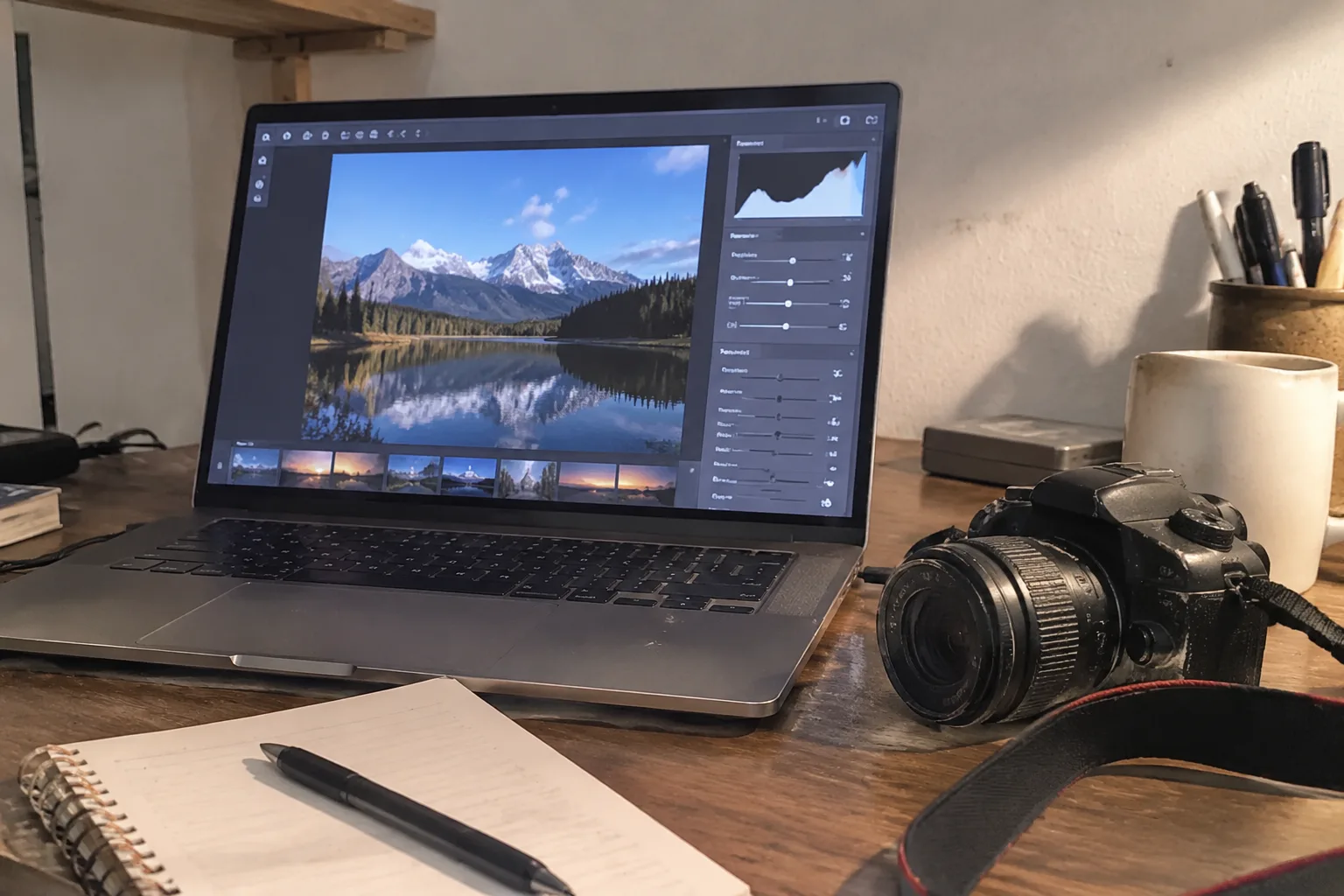
Adobe Photoshop ships with roughly seven hundred menu commands, and a beginner opening it for the first time will use perhaps six of them. That ratio sits near the center of the beginner-versus-pro software question. The gap between consumer editing tools and professional suites is not a gap in capability so much as a gap in how much of that capability gets pushed into the user's path before anything useful happens.
Most beginners assume the expensive tools are simply better at editing. In practice, a free app on a phone can brighten a face, straighten a horizon, and export a clean JPEG faster than a full desktop suite can finish loading. The differences that matter live somewhere less obvious: in what the software assumes about the person sitting in front of it, and in what it refuses to do for them.
The interface tells the truth before the feature list does
Open a beginner tool and the screen presents a photograph, a handful of sliders, and a save button. The control set is small enough to read in one glance. There is no layer stack, no histogram parked in a corner, no panel of blending modes with names like "Linear Burn." The software has an opinion about what matters, and it enforces that opinion by hiding almost everything else.
Professional software works the other way. Photoshop, Lightroom, Capture One, Affinity Photo, and their peers open into a workspace dense with panels that can be rearranged, collapsed, docked, and saved as custom workspaces. This density is a feature for the working retoucher and a wall for everyone else. A photographer editing three hundred wedding images a day needs the tone curve one keystroke away. A person editing a birthday snapshot does not.
The interface difference is not cosmetic. It signals the difference in intent. Beginner software is built around finishing one image. Pro software is built around processing many images, repeatedly, with consistency.
Destructive edits versus a file that can be reopened
Here is the technical distinction that separates the two families more cleanly than any price tag. Beginner editors typically apply changes directly to the pixels and save the result. Pro tools keep the edits as a separate instruction set, layered on top of the original data, so the file can be reopened months later and every adjustment revised.
This matters the first time a person over-saturates a sky or lifts shadows until noise crawls across a wall. In a destructive editor, the change is baked in. Undo history evaporates when the app closes. In a non-destructive editor, the saturation slider returns to zero and the original image is intact underneath.
Adobe's Camera Raw and Lightroom are entirely built on this principle: the raw sensor data stays untouched, and every slider writes a small sidecar instruction. Open the same catalog three years later, and every decision is still editable. That durability is a professional requirement. It is also the feature beginners miss most without knowing it exists, because it only becomes visible after a mistake.
Selection tools draw the sharpest line between the two
Ask a working editor what separates a beginner tool from a pro one, and the answer usually involves selection. Beginner apps offer a magic wand, a rough lasso, and maybe a subject-detection button that grabs the foreground with moderate success. Pro tools offer channels, quick masks, refine-edge brushes, pen paths, luminosity masks, and color-range selections that can isolate a single hue across an entire frame.
The difference shows up in local edits. Brightening a face in a beginner app usually means a global exposure bump or a vaguely feathered oval. Doing the same in Photoshop means painting a mask on a layer, then adjusting that mask with a curve, then softening the edge until the transition disappears into skin texture. The result looks different in a way viewers cannot name but can feel.
Selection precision is also where beginner software quietly stops being able to help. Replacing a dull sky, removing a power line from a portrait, or matching skin tones across a mixed-lighting wedding shot all depend on isolating regions with accuracy. No amount of automated "AI select" in a phone app replaces the underlying control, because the app still hides the mask from the user and offers no way to fix the half-second when the detection guessed wrong.
Color management and the export trap
A beginner edits on a laptop screen, exports a JPEG, and posts it. The image looks fine. Then a print order comes back green, or the same file looks washed out on a phone. The cause is usually color management, and it is one of the least discussed differences between consumer and professional software.
Pro tools handle color profiles explicitly. They embed an ICC profile on export, let the user convert between sRGB, Adobe RGB, and ProPhoto RGB, and warn when a working space will clip colors. Beginner tools typically assume sRGB and embed it silently, which is fine for screens and wrong for print shops.
Raw file support is the other half of this trap. Consumer apps that accept raw formats often apply a manufacturer profile and call it done. Professional converters expose the demosaicing, the camera profile choice, and the lens correction, which is how a working photographer keeps a consistent look across two different camera bodies at the same shoot. A beginner does not need to know what demosaicing is. A beginner who starts printing at 16 by 20 inches will learn.
Batch processing and the cost of doing it one at a time
Volume changes everything. A person editing five photos a week can tolerate a slow workflow. A person editing five hundred cannot. Professional software is engineered around repetition: synchronization of settings across a whole shoot, presets that apply across hundreds of files, batch export with naming conventions, and scripts that rename and resize automatically.
Lightroom's develop module applies one set of adjustments to an entire grid of images with a single sync command. Capture One's session workflow lets a tethered shooter cull and rate as the frames arrive. These are not luxury features; they are the difference between finishing a job and missing a deadline. Beginner apps handle single images gracefully and collapse under a folder of two hundred.
The learning curve is real but shorter than the price tag suggests
The standard warning is that professional software takes months to learn. That is true for the full application and false for the parts a beginner actually needs. Photoshop's core workflow for a simple photo edit takes an afternoon to grasp: open, add an adjustment layer, paint a mask, save as a copy. The other ninety percent of the program can stay unexplored for years without harming the result.
Affinity Photo costs a one-time fee and offers layers, masks, and raw development at a fraction of the subscription cost. Darktable and RawTherapee are free and handle non-destructive raw editing with a steeper interface. The barrier for a determined beginner is smaller than the marketing suggests. What costs time is not the software but the understanding of what a mask does and why a histogram matters, and those concepts transfer between beginner and pro tools alike.
When the subscription stops being worth it
The subscription model attached to Adobe's professional suite deserves its own scrutiny, because it changes the calculus in a way that has nothing to do with features. A beginner who subscribes to a pro tool for one project and then goes quiet for a year pays the same as someone editing daily. The cost does not scale with use.
The reverse is also true. A pro who edits weekly and needs reliable color management, batch export, and a catalog will find the subscription cheaper than assembling a comparable set of one-time purchases. The question is not beginner versus pro software in the abstract. The question is whether a person's actual editing volume and output destination justify the overhead. A photographer printing for a gallery needs a pro pipeline. A person editing vacation photos for a shared album does not.
The upgrade that actually happens, and when
The realistic path for most beginners is not a jump from a phone app to Photoshop. It is a gradual move, triggered by a specific failure. The sky replacement looks fake because the selection edge is wrong. The print comes back too dark because the export profile was wrong. The batch of forty images takes three hours because each one is edited by hand.
Each of those failures points to a feature the beginner tool cannot provide. That is the moment the upgrade makes sense, and it usually arrives later than expected. A person can spend two years editing happily in a simple app and never hit the wall. Another hits it in a month. The software recommendation should follow the failure, not precede it.
There is a quieter option in between: an intermediate tool like Affinity Photo or Pixelmator Pro that keeps the layer-and-mask model without the subscription and without the full professional workspace. It bridges the gap for the person who has outgrown sliders but does not need a catalog for ten thousand images. The middle tier exists, and it is where many beginners should land before committing to the deep end.


